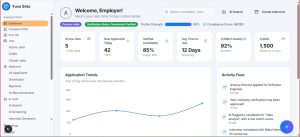
Business teams are under constant pressure to move faster, collaborate better, and make smarter decisions with fewer resources. From marketing campaigns and sales outreach to finance approvals and customer support, work often gets slowed down by repetitive tasks, scattered information, and manual handoffs. AI workflow automation is changing that by combining intelligent software with process automation, helping teams streamline everyday operations while freeing people to focus on higher-value work.
TLDR: AI workflow automation helps business teams reduce manual work, improve accuracy, and speed up decision-making. It uses artificial intelligence to understand information, trigger actions, assist employees, and optimize processes across departments. The best results come when companies start with clear goals, choose practical use cases, and keep humans involved in strategic decisions. Done well, AI automation becomes a productivity partner rather than just another software tool.
What Is AI Workflow Automation?
AI workflow automation refers to the use of artificial intelligence to manage, improve, or execute business processes with minimal manual input. Traditional automation follows fixed rules: if one thing happens, another action is triggered. AI adds a layer of intelligence by recognizing patterns, interpreting language, summarizing information, making predictions, and adapting to new data.
For example, a traditional automated workflow might send a confirmation email when a customer submits a form. An AI-powered workflow can go further: it can analyze the message, detect the customer’s intent, prioritize the request, route it to the right department, draft a response, and update the CRM automatically.
This combination of automation and intelligence is especially powerful for business teams because much of their work involves communication, documents, decisions, and coordination. AI can support these activities by acting as a digital teammate that handles routine steps and provides useful recommendations.
Why Business Teams Are Adopting AI Automation
Modern organizations rely on many tools: email platforms, chat apps, CRMs, project management systems, analytics dashboards, accounting software, and document storage. While these tools are valuable, they can also create fragmentation. Employees spend hours copying information between systems, searching for updates, and performing repetitive administrative tasks.
AI workflow automation addresses these challenges by connecting systems and making processes more seamless. Instead of forcing employees to manually move work from one stage to the next, AI can detect what needs to happen and initiate the appropriate action.
Common reasons businesses invest in AI automation include:
- Saving time: Teams can reduce hours spent on repetitive tasks such as data entry, status updates, report creation, and email sorting.
- Improving accuracy: Automated workflows reduce the risk of human error in routine processes like invoice handling or lead assignment.
- Speeding up decisions: AI can summarize data, identify trends, and surface insights faster than manual analysis.
- Enhancing customer experiences: Requests can be answered, routed, and resolved more quickly.
- Increasing scalability: Teams can handle growing workloads without increasing headcount at the same pace.
Key Areas Where AI Workflow Automation Helps
1. Marketing Teams
Marketing departments manage campaigns, content, customer data, analytics, and cross-channel communication. AI automation can help create smoother processes from planning to reporting.
For instance, AI can automatically segment audiences based on behavior, suggest personalized email content, generate campaign performance summaries, and alert teams when engagement drops. Content workflows can also benefit from AI by automating topic research, first-draft creation, editing suggestions, and publishing checklists.
However, AI should not replace the creative direction of marketers. Instead, it can handle repetitive preparation and analysis so marketers have more time for strategy, storytelling, and brand development.
2. Sales Teams
Sales teams often spend a significant amount of time on administrative tasks that do not directly involve selling. AI workflow automation can help by qualifying leads, updating CRM records, drafting follow-up emails, and reminding representatives when outreach is needed.
An AI system can analyze lead activity, such as website visits, email interactions, and previous conversations, then assign a priority score. High-intent leads can be routed to sales representatives immediately, while lower-priority leads can enter nurturing sequences. This ensures that salespeople spend more time speaking with the right prospects at the right moment.
3. Customer Support Teams
Customer support is one of the most common areas for AI workflow automation. AI can classify tickets, detect urgency, recommend responses, and provide agents with relevant knowledge base articles. Chatbots can answer common questions instantly, while more complex issues can be escalated to human agents.
The best support workflows use AI to improve responsiveness without sacrificing empathy. Customers still want to feel understood, especially when dealing with frustrating problems. AI can support agents by giving them context quickly, allowing human representatives to focus on communication and resolution.

4. Human Resources
HR teams manage recruitment, onboarding, employee records, benefit questions, performance processes, and internal communications. AI automation can simplify many of these activities.
In recruitment, AI can screen resumes against role requirements, schedule interviews, and summarize candidate feedback. During onboarding, automated workflows can send documents, assign training modules, request equipment, and remind managers of key steps. AI assistants can also answer common employee questions about policies, PTO, and benefits.
It is important, though, for HR teams to use AI carefully. Decisions involving hiring, promotion, or employee evaluation should include human oversight to avoid bias and ensure fairness.
5. Finance and Operations
Finance and operations teams deal with invoices, approvals, procurement, reporting, inventory, compliance, and planning. These processes often involve structured steps that are ideal for automation.
AI can extract data from invoices, match purchase orders, flag unusual expenses, forecast cash flow, and generate financial summaries. In operations, AI can help predict demand, identify bottlenecks, and recommend process improvements. Automated approval workflows can move requests to the right stakeholders and send reminders when action is delayed.
How AI Changes the Nature of Workflows
Traditional workflows are usually linear and rule-based. They work well when tasks are predictable, but they struggle when information is messy or decisions require judgment. AI makes workflows more flexible because it can interpret unstructured data such as emails, documents, meeting transcripts, and customer messages.
For example, consider a project management workflow. Without AI, a manager may need to read meeting notes, identify action items, assign tasks, update deadlines, and notify team members. With AI workflow automation, meeting transcripts can be summarized automatically, tasks can be extracted, owners can be suggested, and project boards can be updated.
This does not eliminate the project manager’s role. Instead, it removes administrative friction so the manager can focus on prioritization, risk management, and team alignment.
Benefits Beyond Productivity
While productivity is the most obvious benefit, AI workflow automation can also improve the quality of work. When employees are less burdened by repetitive tasks, they can spend more time on creative thinking, relationship building, and problem solving.
AI automation also improves visibility. Because workflows are tracked digitally, leaders can see where work gets delayed, which tasks consume the most time, and what outcomes are being achieved. This makes it easier to improve processes based on evidence rather than guesswork.
Another major advantage is consistency. Automated workflows help ensure that important steps are not missed. Whether it is following up with a sales lead, processing a refund, or completing an onboarding checklist, AI can keep processes moving reliably.
Challenges to Consider
AI workflow automation is powerful, but it is not magic. Businesses need to plan carefully to avoid disappointment or unnecessary complexity. One common mistake is automating a broken process. If a workflow is confusing, inefficient, or poorly designed, adding AI may simply make the problem happen faster.
Other challenges include:
- Data quality: AI systems need accurate, organized, and accessible data to perform well.
- Integration issues: Automation works best when tools can communicate with each other smoothly.
- Employee trust: Teams may resist AI if they do not understand how it works or fear it will replace them.
- Security and privacy: Sensitive business and customer data must be protected.
- Overreliance on AI: Human review remains important for complex, ethical, or high-impact decisions.
Successful adoption requires both technical planning and change management. Employees should be trained not only on how to use AI tools, but also on when to question or verify AI-generated outputs.
Best Practices for Implementing AI Workflow Automation
Business teams can increase their chances of success by starting small and focusing on measurable outcomes. A practical approach is to identify tasks that are repetitive, time-consuming, and rule-supported, then determine where AI can add intelligence.
- Map the existing workflow: Document each step, owner, system, input, and output. This reveals delays and unnecessary complexity.
- Choose a clear use case: Start with a specific problem, such as reducing ticket response time or automating invoice data extraction.
- Set measurable goals: Track metrics like time saved, error reduction, response speed, conversion rates, or employee satisfaction.
- Keep humans in the loop: Use AI for recommendations and routine execution, but maintain human oversight where judgment matters.
- Review and improve: Monitor results, gather feedback, and refine workflows over time.

The Role of Human Teams in an AI Automated Workplace
One of the biggest misconceptions about AI workflow automation is that it is mainly about replacing people. In reality, the strongest use cases are about augmenting people. AI can process information quickly, but humans provide context, empathy, creativity, ethics, and strategic judgment.
For business teams, this means roles may shift. Employees may spend less time entering data and more time interpreting it. Managers may spend less time chasing updates and more time coaching teams. Customer support agents may handle fewer routine questions and more complex customer needs.
The future workplace will likely depend on employees who know how to collaborate with AI systems. This includes writing effective prompts, reviewing AI outputs, understanding automation logic, and spotting when something seems incorrect. AI literacy will become a valuable business skill across departments.
What the Future Looks Like
AI workflow automation is still evolving quickly. Future systems will become more proactive, personalized, and context-aware. Instead of waiting for a user to trigger a workflow, AI may detect patterns and suggest improvements automatically. For example, it might notice that a project is likely to miss a deadline based on communication patterns and task progress, then recommend corrective action.
We can also expect more natural interfaces. Team members may interact with workflows through conversation, asking questions like, “Which deals need follow-up today?” or “Summarize the top customer complaints this week.” AI will retrieve the information, analyze it, and initiate next steps within connected business systems.
As these capabilities mature, the most successful organizations will be those that balance automation with human judgment. They will not automate everything simply because they can. Instead, they will design workflows that make work smoother, decisions smarter, and teams more effective.
Conclusion
AI workflow automation for business teams is more than a technology trend. It is a practical way to reduce friction, improve collaboration, and help employees focus on meaningful work. By automating repetitive tasks and applying intelligence to everyday processes, companies can become faster, more consistent, and more responsive.
The key is to approach AI automation thoughtfully. Start with real business problems, involve the people who understand the work, protect data, and keep humans involved where judgment and empathy matter. When implemented well, AI workflow automation does not just make teams more efficient; it helps them work with greater clarity, creativity, and confidence.