
G1ANT Robot is an RPA platform built for organizations that want to automate repetitive desktop and web tasks without turning every workflow into a heavy enterprise transformation project. It is often discussed as a developer-friendly alternative to larger automation suites because it combines scripting, reusable commands, and orchestration features in a relatively lean package.
TLDR: G1ANT Robot is best suited for teams that need practical robotic process automation across desktop apps, browsers, files, and business systems. For example, a finance team handling 1,200 invoices per month could use G1ANT to extract data, validate fields, and update an ERP system, potentially reducing manual processing time by 50–70%. Its strengths are flexibility, a code-friendly approach, and solid orchestration, while its drawbacks include less market visibility and less transparent public pricing than some larger RPA vendors.
What Is G1ANT Robot?
G1ANT Robot is a robotic process automation tool designed to automate rule-based tasks typically performed by office workers. It can interact with websites, desktop applications, spreadsheets, emails, files, databases, and enterprise systems. In simple terms, it lets a software “robot” copy data, click buttons, read documents, move files, and trigger workflows based on predefined rules.
Unlike some RPA tools that focus almost entirely on visual drag-and-drop design, G1ANT has historically appealed to users who are comfortable with scripting and technical configuration. This makes it especially interesting for IT teams, automation engineers, and companies that want more control over how bots behave.
Key Features of G1ANT Robot
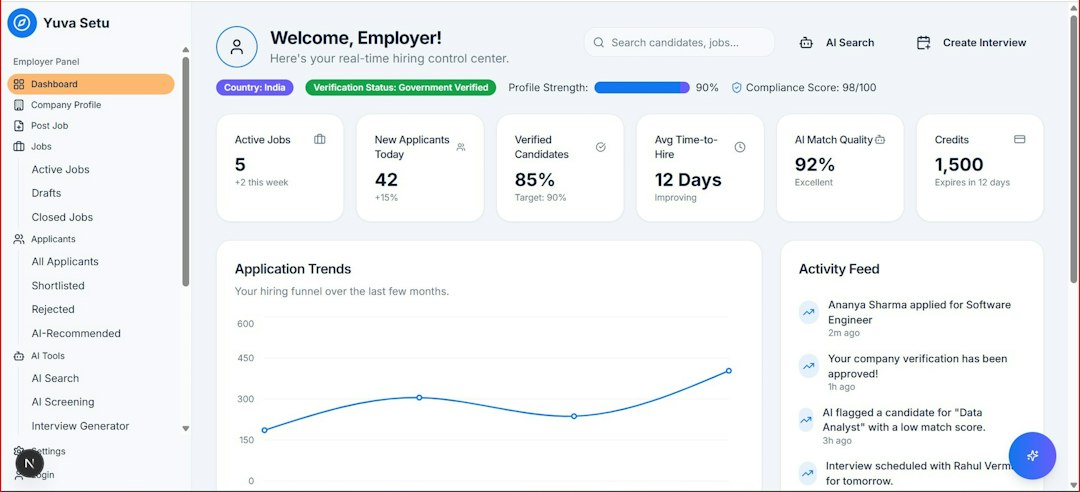
G1ANT includes many of the core capabilities expected from a modern RPA platform. While exact features may vary depending on the version and licensing arrangement, the platform is generally associated with the following strengths:
- Desktop automation: Automate actions in Windows applications, legacy systems, and internal tools.
- Web automation: Interact with browser-based platforms, portals, forms, and dashboards.
- Excel and file handling: Read, edit, create, and move spreadsheets, CSV files, PDFs, and folders.
- Email automation: Monitor inboxes, extract attachments, send notifications, and trigger processes.
- OCR and document processing: Use optical character recognition to read text from scanned documents or images.
- Database connectivity: Query and update data in structured systems as part of automated workflows.
- Orchestration: Schedule, monitor, and manage bots from a central environment.
- Scripting flexibility: Build more advanced automations using a code-oriented approach.
One of G1ANT’s most notable qualities is that it does not try to hide technical complexity completely. For some users, that is a disadvantage; for others, it is the platform’s biggest advantage. If your automation team wants to fine-tune logic, integrate with custom systems, or build repeatable components, a more technical RPA environment can be very useful.
User Experience and Learning Curve
G1ANT is not usually described as the most beginner-friendly RPA tool on the market. Business users with no technical background may find the scripting approach less intuitive than visual-first platforms. However, users with even basic programming or analytical skills can often become productive quickly, especially when automating structured tasks.
The platform is particularly attractive when the automation logic is complex. For instance, a bot might need to check whether a customer record exists, compare values across three systems, update a spreadsheet, send an email only if a rule is met, and log the result for auditing. In this type of scenario, script-like control can be cleaner than a massive visual workflow with hundreds of boxes.
Best RPA Use Cases for G1ANT
G1ANT Robot can be used across departments, but it is most valuable where tasks are repetitive, rule-based, and involve multiple applications. Common use cases include:
- Invoice processing: Extract invoice data, validate totals, check supplier records, and enter details into accounting software.
- HR onboarding: Create user accounts, send welcome emails, prepare documents, and update HR systems.
- Customer service support: Pull customer data from CRM systems, generate case summaries, and send standard responses.
- Data migration: Move structured information from old systems into new platforms without manual copying.
- Report generation: Gather data from multiple sources, format Excel reports, and distribute them automatically.
- Compliance checks: Compare system records against rules, flag exceptions, and maintain audit logs.
Consider a mid-sized logistics company that receives booking requests by email. A G1ANT bot could read incoming messages, save PDF attachments, extract shipment details, check availability in an internal system, update a spreadsheet, and notify an operator if something is missing. Instead of spending five minutes per email, staff might only review exceptions. Across 300 requests per week, that could save more than 20 hours of manual effort.
Pricing: How Much Does G1ANT Cost?
G1ANT pricing is not always publicly listed in a simple self-service format, which means potential buyers typically need to contact the vendor or an implementation partner for a quote. This is common in the RPA market, especially for platforms that include bot licenses, orchestration, enterprise support, and deployment services.
When evaluating G1ANT pricing, companies should look beyond the license fee and consider the total cost of automation. Important cost factors include:
- Number of bots: Attended and unattended bots may be priced differently.
- Orchestration needs: Centralized scheduling, monitoring, and logging may affect licensing.
- Development effort: Complex workflows require more design, testing, and maintenance.
- Infrastructure: Hosting robots on virtual machines or servers can add operational costs.
- Support and training: Teams may need onboarding, documentation, or external consulting.
For a small pilot, the cost may be justified if one process saves dozens of hours per month. For enterprise rollouts, pricing should be compared against expected ROI, bot utilization rates, and the cost of alternative tools. A useful benchmark is to calculate how many full-time equivalent hours the bot can save annually, then compare that figure with licensing and maintenance costs.
Pros and Cons of G1ANT Robot
Pros:
- Flexible automation for desktop, web, files, and business applications.
- Good fit for technical teams that prefer scripting and precise control.
- Useful for complex workflows that require conditional logic and integration.
- Can support both small departmental automations and broader RPA programs.
Cons:
- Less suitable for non-technical business users than some visual RPA tools.
- Pricing information may require direct inquiry.
- Smaller ecosystem and lower market visibility than major RPA leaders.
- Implementation quality depends heavily on process analysis and bot design.
Top Alternatives to G1ANT Robot
If you are comparing RPA platforms, G1ANT should be evaluated alongside several well-known alternatives:
- UiPath: One of the most popular RPA platforms, known for a large ecosystem, strong training resources, and enterprise-grade orchestration.
- Automation Anywhere: A mature automation platform with cloud-native capabilities, analytics, and strong enterprise adoption.
- Microsoft Power Automate: A compelling choice for companies already using Microsoft 365, Azure, SharePoint, and Dynamics.
- Blue Prism: A robust enterprise RPA option often used in regulated industries that require governance and security.
- Robocorp: A developer-oriented automation platform based on Python, often attractive for teams that prefer open-source-style flexibility.

Who Should Choose G1ANT?
G1ANT Robot is a strong option for organizations that want a flexible, technical RPA tool and have access to developers, automation specialists, or IT analysts. It is less ideal for companies expecting every business user to build bots with minimal training. If your organization values scriptable automation, custom logic, and control over bot behavior, G1ANT deserves serious consideration.
Before choosing it, run a pilot with one high-volume process. Measure the baseline time, error rate, exception rate, and expected savings. A good first use case is repetitive but stable: invoice entry, report preparation, employee onboarding, or system-to-system data transfer. If the pilot delivers measurable savings and can be maintained without excessive effort, G1ANT may become a valuable part of your automation stack.
Final Verdict
G1ANT Robot is not the loudest name in RPA, but it offers a practical and capable automation environment for teams that know what they want to automate and have the skills to build it properly. Its biggest appeal lies in its balance of RPA functionality and technical flexibility. While buyers should carefully investigate pricing, support, and long-term roadmap fit, G1ANT can be a smart choice for organizations seeking efficient automation without unnecessary complexity.