Choose Pencil MCP when you want AI to turn product intent into editable interface drafts with less manual setup; choose Figma when you need mature collaboration, polished visual design, and handoff at scale. Pencil MCP is best thought of as an AI friendly bridge into structured wireframing and interface planning. Figma is still the stronger all round design platform, but its AI workflow often feels more closed and more visual than operational.
TLDR: Pencil MCP is useful for quickly generating screens, flows, and UI specs from plain language, especially during early product planning. Figma is better for shared design systems, pixel level polish, prototyping, and developer handoff. For example, a three person SaaS team could use Pencil MCP to rough out a five screen billing flow in under an hour, then move the strongest version into Figma for refinement. If AI cuts even 30% of repetitive layout work, the saving is real, but only if the output stays editable.
What Pencil MCP actually means for interface design
Pencil MCP refers to using Pencil through the Model Context Protocol, so an AI assistant can interact with design artifacts in a more structured way. Instead of asking an AI for a vague mockup image, you ask for actual interface elements, page structure, user flows, annotations, and revisions.
That distinction matters. A static AI generated picture may look slick, but it is often useless five minutes later. You cannot easily inspect spacing, rename layers, adjust a component, or ask why a button is placed where it is. It drives me crazy when a tool produces a pretty screen but hides the thinking behind it.
With an MCP based workflow, the AI can work closer to the source material. It can read context, make changes, explain decisions, and produce a more practical draft. The result is not magic. It is more like a junior product designer that is quick, literal, and occasionally weird.
Where Figma still wins
Figma remains the safer choice for teams that need a full design environment. Its strengths are clear:
- Real time collaboration: multiple designers, product managers, and engineers can work or comment in the same file.
- Design systems: components, variables, styles, and libraries are mature and widely used.
- Prototyping: interactive flows are easy to present to stakeholders and test subjects.
- Developer handoff: specs, assets, measurements, and CSS details are part of the normal workflow.
- Hiring and training: most product designers already know it, which lowers friction.
Figma’s AI features and plugin ecosystem can speed up naming, layout ideas, copy, image generation, and design cleanup. That helps. Yet Figma is first a visual design platform. AI is an added layer. In Pencil MCP, AI can feel closer to the center of the workflow because the assistant is not only suggesting. It is operating against a structured design context.
Where Pencil MCP feels stronger
Pencil MCP shines during the messy middle between idea and design file. This is where teams argue about what a screen should do, what data it needs, and how many steps a user must complete.
For example, a product manager might write:
“Create a mobile checkout flow for a meal delivery app. Include cart review, address selection, payment, promo code, and confirmation. Add notes for edge cases.”
A good Pencil MCP setup can turn that prompt into a set of rough screens with labels, form fields, states, and flow notes. Better still, you can ask follow up questions:
- “Add an empty cart state.”
- “Make the payment step shorter.”
- “Show one version for returning users and one for first time buyers.”
- “List the assumptions behind this flow.”
This is where it can beat Figma for speed. You are not dragging rectangles. You are shaping intent. Pencil MCP can help produce a usable starting point before a designer spends energy on spacing, hierarchy, and brand detail.
The big difference: AI output versus design quality
AI assisted design has a common trap. The first output looks impressive, so everyone relaxes. Then the real work begins. Buttons are inconsistent. Inputs are missing error states. Mobile spacing breaks. The flow skips a permission screen. The empty state says nothing helpful.
Figma gives designers strong manual control to fix these issues. Pencil MCP may help find and revise them faster, especially if the design is represented as structured objects rather than flat visuals. The best setup is often not one or the other. It is Pencil MCP for rapid thinking and Figma for final design execution.
Collaboration: polished rooms versus AI workbench
Figma feels like a shared studio. Comments, cursors, branches, libraries, and prototypes all support team work. Stakeholders understand it. Engineers expect it. Design reviews are smooth because everyone knows where to click.
Pencil MCP feels more like an AI workbench. It is useful when one person wants to generate, inspect, and revise interface concepts quickly. It can be brilliant for solo founders, product managers, UX researchers, and small teams that need to test structure before committing to polish.
The pain shows up when the team grows. If your company already has a Figma library with 200 components, brand tokens, accessibility rules, and release workflows, Pencil MCP will not replace that overnight. Expect to waste time on translation if the Pencil output cannot map cleanly into your existing system.
AI control and transparency
One serious advantage of an MCP style workflow is that it can expose more context to the assistant. The AI can be asked to work with requirements, screen lists, component descriptions, and state logic. That makes it better suited for product reasoning.
Figma’s AI can be helpful, but many teams still use it for surface tasks: generating mockups, renaming layers, producing copy, or filling layouts. Those features are useful, but they do not always solve the harder question: “Does this interface match the product logic?”
Pencil MCP can be strong when prompts include constraints such as:
- Accessibility: minimum tap target sizes, readable contrast, keyboard friendly states.
- Business rules: paid users see extra actions, trial users see upgrade prompts.
- Content rules: shorter labels, plain language, no jargon.
- Platform rules: mobile first layout, desktop admin table, tablet friendly controls.
Which one should your team use?
Use Pencil MCP if your main problem is turning rough product ideas into interface drafts. It is also a strong fit if you want AI to help compare flows, generate screen variants, document assumptions, or create lower fidelity wireframes from written specs.
Use Figma if your main problem is shipping production ready design. It remains the better platform for visual refinement, reusable components, design governance, stakeholder review, and developer inspection.
For many teams, the smartest workflow looks like this:
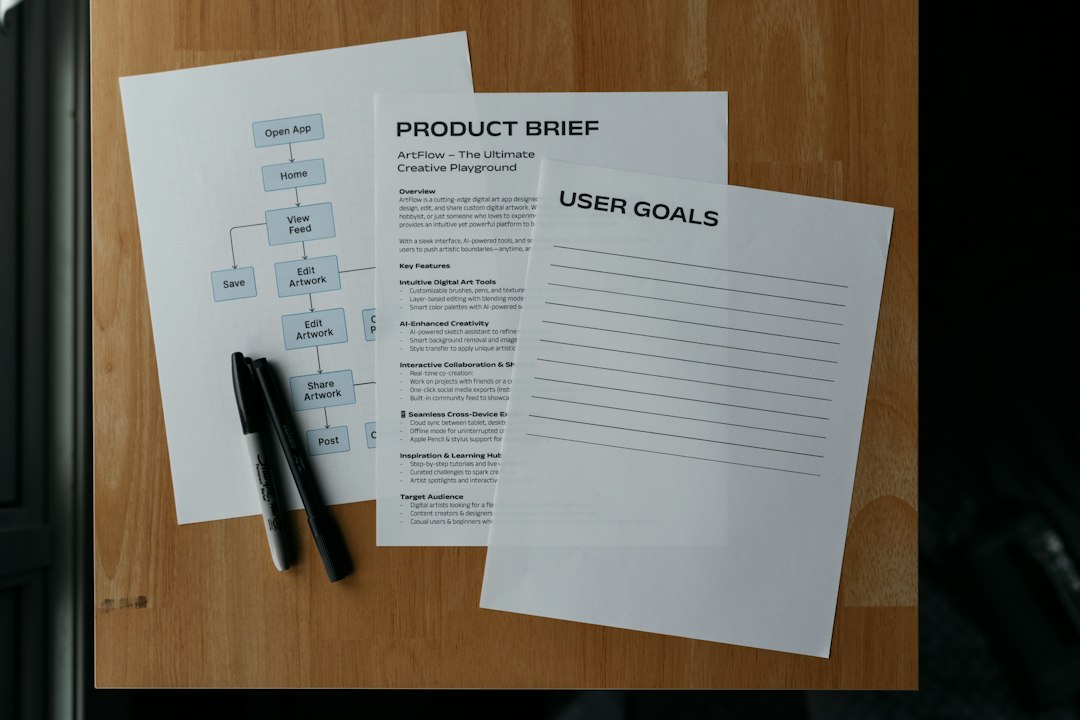
- Start in Pencil MCP: generate screens from a product brief.
- Ask AI to critique the flow: missing states, user risks, accessibility issues.
- Create two or three variants: compare speed, clarity, and conversion intent.
- Move the winner into Figma: apply brand, components, spacing, and interactions.
- Test and refine: use feedback to update the design system.
The practical verdict
Pencil MCP is not a Figma killer. It is a different tool for a different stage of work. Its value is speed, structure, and AI assisted iteration. Figma’s value is shared precision and production maturity.
If you are designing a new feature from scratch, Pencil MCP can help you get to a solid first draft faster. If you are preparing a launch ready interface, Figma is still the place to finish the job. The winners will be teams that stop treating AI as a screenshot machine and start using it as a design reasoning partner.