Pick one SEO review tool for daily checks, then keep two specialist tools for deeper work. That setup saves time, money, and sanity. A good audit should catch broken pages, slow load times, missing titles, weak keywords, and scary backlink stuff before your traffic drops. Google also treats Core Web Vitals as part of page experience signals, so speed and usability are not “nice extras” anymore [source: Google].
TLDR: Use Semrush or Ahrefs if you want a big all-in-one SEO command center. Use Screaming Frog when your site feels broken and you need the ugly details fast. For example, a small store might fix 12 broken pages, compress 40 images, and improve organic clicks by 18% in 60 days. Start with audits, then keywords, then backlinks, then reports.
1. Semrush
Best for: full SEO audits, keyword research, competitor checks, and reports.
Semrush is like a Swiss Army knife with too many blades. In a good way. You can audit your site, track rankings, check backlinks, spy on competitors, and build reports for clients or bosses.
The annoying bit? The dashboard can feel busy. Expect to click around for a while before it feels friendly.
- Website audits: strong and easy to read.
- Keyword research: huge database and useful filters.
- Backlinks: solid for most teams.
- Reporting: polished and client ready.
2. Ahrefs
Best for: backlink analysis and keyword research.
Ahrefs is loved by SEO people for one big reason. Its backlink data is strong. If you want to know who links to you, who links to your rivals, and which links seem risky, this tool is a beast.
Its keyword tools are also great. You can find terms, see traffic ideas, and spot pages that already rank. That makes content planning much less random.
Honestly, it feels like Ahrefs sometimes hides simple tasks behind extra clicks. But the data is often worth it.
3. Screaming Frog SEO Spider
Best for: technical website audits.
Screaming Frog crawls your site like a tiny robot with a clipboard. It finds broken links, duplicate titles, missing meta descriptions, redirect chains, thin pages, and more.
This is the tool you open when something feels off. Maybe Google stopped loving your site. Maybe a redesign broke 300 URLs. Maybe your developer says, “Looks fine to me.” Run Screaming Frog. Then bring receipts.
- Great for large sites.
- Great for exports.
- Great for technical SEO fixes.
- Not very cute. Very useful.

4. Moz Pro
Best for: beginner-friendly SEO tracking.
Moz Pro keeps things simple. That is its charm. You get site audits, rank tracking, keyword ideas, and link tools without feeling like you need a PhD in spreadsheets.
Its Domain Authority score is popular. Many marketers use it as a quick way to estimate site strength. It is not magic. It is still useful as a rough guide.
The reports are clean. The tips are clear. If your team is new to SEO, Moz is a gentle start.
5. Google Search Console
Best for: real search data from Google.
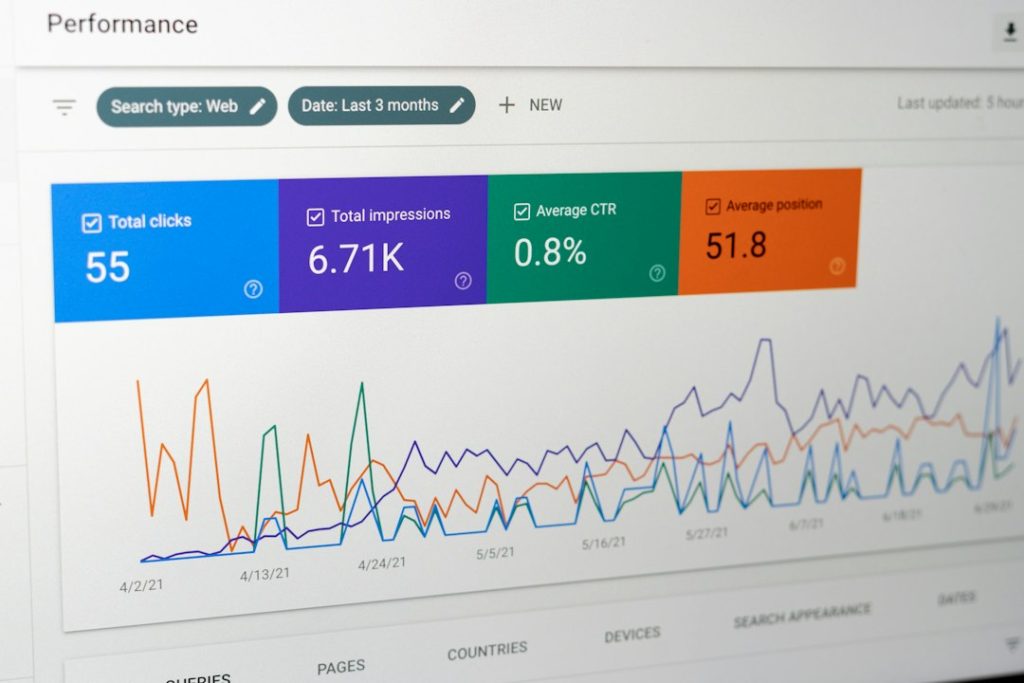
Google Search Console is free. That alone makes it a must-have. It shows which search terms bring clicks, which pages get impressions, and which pages have indexing problems.
You can see if Google found your pages. You can check mobile issues. You can submit sitemaps. You can also find queries where you rank on page two. Those are tasty chances for quick wins.
The catch is the interface can be weirdly plain. Some reports lag by a day or two. Still, skip this tool and you are guessing.
6. SE Ranking
Best for: affordable SEO tracking and agency reports.
SE Ranking gives you audits, rank tracking, keyword research, backlink checks, and reports at a friendly price. It works well for small agencies, freelancers, and growing businesses.
The rank tracker is one of its best parts. You can follow keywords by country, city, device, and search engine. That helps when local SEO matters.
Reports are easy to brand. Clients like that. You like that because it means fewer “Can you explain this?” emails.
7. PageSpeed Insights
Best for: site speed and performance checks.
PageSpeed Insights is free and blunt. Paste in a URL. It scores your page. Then it tells you what is slowing things down.
Common problems include giant images, heavy scripts, lazy loading issues, and slow server response. Some advice gets technical fast. Send those notes to your developer. Buy them coffee first.
This tool is not a full SEO platform. It does one job. But speed affects users, conversions, and search performance. So yes, it belongs on this list.
How to Choose the Right Tool
- If you want one main platform: choose Semrush or Ahrefs.
- If you need technical audits: choose Screaming Frog.
- If you are new to SEO: choose Moz Pro.
- If your budget is tight: use Google Search Console and PageSpeed Insights.
- If you need client reports: try SE Ranking or Semrush.
A Simple SEO Review Workflow
- Run a site audit. Fix broken links, missing titles, and crawl errors.
- Check speed. Compress images and remove heavy junk.
- Find keyword gaps. Look for terms your rivals rank for.
- Review backlinks. Spot strong links and strange spam patterns.
- Track progress. Watch rankings, clicks, and conversions each month.
Final pick? Start with Google Search Console, PageSpeed Insights, and one paid tool. That combo covers the basics without making your wallet cry. SEO is messy enough. Your tools should make it clearer, not turn your Tuesday into a spreadsheet swamp.