Your website is like a shop with bright lights, open doors, and a lot of people walking in. Some visitors know what they want. Some are just peeking. Some are confused and ready to leave. Chat with sales helps you say, “Hi there, need a hand?” at the perfect moment.
TLDR: Sales chat turns quiet website visitors into real conversations, and real conversations often turn into customers. For example, if 1,000 people visit your pricing page and only 2% contact you, a smart chat prompt could lift that to 5% or more. That means 30 extra leads from the same traffic. It is simple, fast, and friendly when done right.
What Does “Chat With Sales” Mean?
Chat with sales is a live chat or messaging option on your website. It lets visitors talk to your sales team before they buy, book, sign up, or leave.
Think of it as a helpful store assistant. Not pushy. Not weird. Just ready.
A visitor may ask:
- “Which plan is best for me?”
- “Do you offer discounts for teams?”
- “Can this work with my current tools?”
- “How fast can I get started?”
These questions matter. They are buying signals. If nobody answers, the visitor may vanish like a cookie at a meeting.

Why Visitors Do Not Always Buy
People do not always leave because they hate your product. Often, they leave because they are unsure.
They may have one tiny doubt. But tiny doubts are powerful. They stop clicks. They delay decisions. They make people say, “I’ll come back later.” Spoiler: many do not come back later.
Common blockers include:
- Price confusion: They do not understand the cost.
- Feature doubts: They are unsure if your product solves their problem.
- Trust issues: They want to know you are real.
- Comparison stress: They are looking at three other tabs.
- Timing questions: They need to know how fast things happen.
Sales chat removes friction. It gives answers while the visitor is still interested. That timing is gold.
The Magic Moment: When to Start a Chat
Do not shout at people the second they land on your site. That feels like a waiter asking for your order while you are still opening the menu.
Instead, trigger chat at useful moments.
Good times to offer chat include:
- When someone spends 30 seconds on the pricing page.
- When someone visits the same product page twice.
- When someone moves toward the exit button.
- When someone clicks “Book a demo” but does not finish.
- When someone from a target company visits your site.
A simple message works best. Try:
“Hi! Need help choosing the right plan?”
Or:
“Want a quick answer before you decide?”
Short. Clear. Human.
Make It Feel Human, Not Robotic
Yes, automation is useful. Bots can answer common questions. They can collect emails. They can route visitors to the right person.
But nobody wants to feel trapped in a robot maze.
Use automation to help, not hide. If a visitor is ready to buy, let them reach a human fast. The best setup is often a mix of bot and person.
For example:
- A bot says hello.
- It asks one or two simple questions.
- It sends the visitor to the right sales rep.
- The sales rep gives real help.
This saves time. It also keeps the experience smooth.
What Should Sales Say?
The goal is not to “close hard.” This is not a movie scene with dramatic music. The goal is to help the visitor make a smart choice.
Sales teams should use simple language. No jargon soup. No ten-paragraph pitch. Ask good questions first.
Great sales chat questions include:
- “What are you trying to solve today?”
- “How many people will use this?”
- “Are you comparing options right now?”
- “Do you need this soon?”
- “Would a quick demo help?”
Then answer clearly. If the product is a fit, say why. If it is not, be honest. Trust grows when you tell the truth.
Speed Matters A Lot
Website visitors are not patient. They are busy. They have tabs open. They have coffee getting cold.
If someone starts a chat, reply fast. A response in under one minute feels great. A response after ten minutes feels like yelling into space.
If your team cannot reply all day, set expectations. Say:
“We usually reply in a few minutes during business hours.”
Or:
“Leave your email and we’ll get back to you today.”
Clear is better than fake instant.
Turn Chats Into Leads
A chat is nice. A lead is better. The trick is to collect helpful details without making the visitor feel interrogated.
Ask only what you need.
Useful details may include:
- Name
- Company size
- Main problem
- Timeline
Do not ask for sixteen fields before answering one basic question. That feels like paperwork with a smiley face.
Give value first. Then ask for contact details if needed.
Use Chat Data To Improve Your Website
Sales chat is not just for talking. It is a tiny research machine.
Every question tells you something. If ten people ask where your refund policy is, make it easier to find. If twenty people ask what a feature means, rewrite that section. If many ask about pricing, your pricing page may need work.
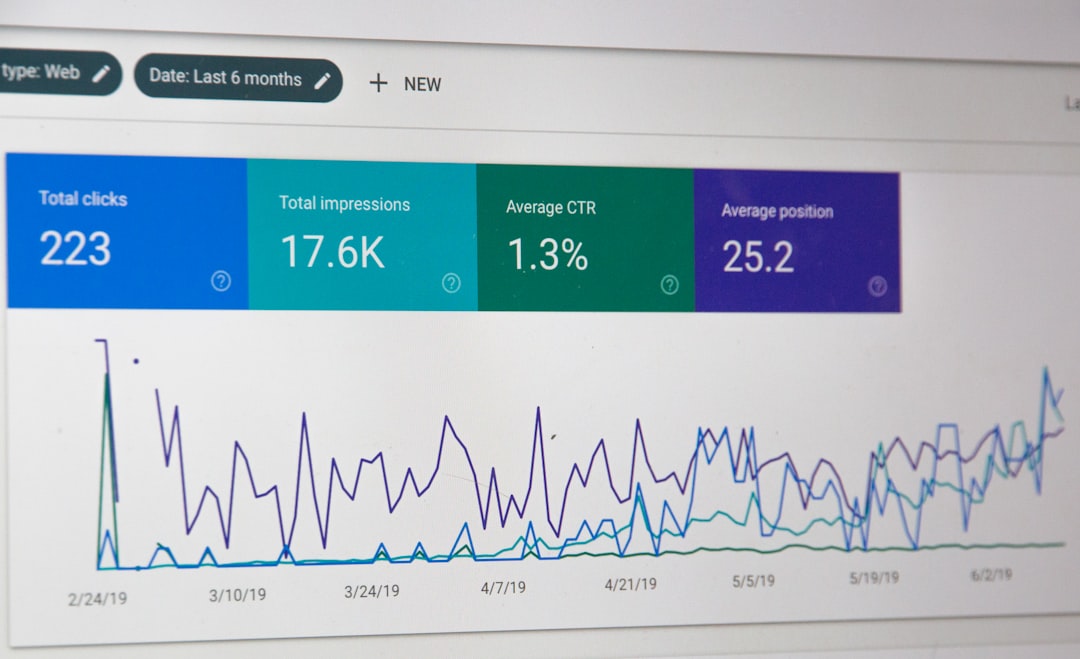
Track things like:
- Chat start rate: How many visitors open chat?
- Response time: How fast does your team reply?
- Lead conversion: How many chats become leads?
- Sales conversion: How many chat leads become customers?
- Common questions: What do people ask most?
Even small changes can help. If chat turns 4% of pricing page visitors into leads, and your page gets 5,000 visits a month, that is 200 leads. If 15% become customers, that is 30 new customers. Nice little math party.
Where Should Chat Appear?
You do not need chat everywhere. Some pages are better than others.
Start with high-intent pages. These are pages where people are close to making a decision.
Good pages for sales chat include:
- Pricing pages
- Product pages
- Demo booking pages
- Checkout pages
- Comparison pages
- Enterprise or team pages
Be careful with blog posts. Many readers are just learning. A soft chat message is fine. A hard sales pitch may scare them away.
Common Mistakes To Avoid
Sales chat is simple. But it can go wrong fast.
Avoid these mistakes:
- Too many popups: Do not block the page.
- Slow replies: Fast help wins.
- Pushy scripts: People can smell pressure.
- No handoff: Make sure serious leads reach sales.
- Bad mobile design: Chat must work well on phones.
- Asking too much too soon: Keep it light.
The best chat feels like help. The worst chat feels like a trap.
A Simple Sales Chat Flow
Here is an easy flow you can use:
- Greet: “Hi! Need help finding the right option?”
- Qualify: “What are you hoping to solve?”
- Guide: Share the best plan, product, or next step.
- Offer: “Would you like a quick demo or quote?”
- Capture: Ask for an email or meeting time.
- Follow up: Send a recap and next steps.
This keeps the chat focused. It also respects the visitor’s time.
Final Thoughts
Your website already has visitors. Some are ready to buy. Some are almost ready. Some just need one friendly answer.
Chat with sales gives them that answer in the moment. It turns silent browsing into conversation. It turns confusion into clarity. And yes, it can turn clicks into customers.
Keep it simple. Be helpful. Reply fast. Ask smart questions. Then watch your website feel less like a brochure and more like a friendly guide.