Keyword research and rank tracking can feel like detective work. You are hunting for clues. You are watching movements. You are trying to stay one step ahead of the competition. The good news? You do not have to do it alone. DataForSEO APIs give you powerful tools to gather data, track rankings, and uncover opportunities with precision.
TLDR: DataForSEO APIs let you automate keyword research and rank tracking using real-time search engine data. You can pull keyword ideas, search volume, competition metrics, and track rankings across locations and devices. With the right setup, you turn raw data into clear SEO insights. It saves time, improves accuracy, and helps you scale smarter.
Let’s break it down in a simple and fun way.
What Is DataForSEO?
Think of DataForSEO as a data delivery service. Instead of manually searching Google again and again, their APIs collect the information for you.
You send a request. You get structured SEO data back.
No scraping headaches. No guesswork.
Just clean, organized data.
DataForSEO offers APIs for:
- Keyword research
- Rank tracking
- SERP analysis
- Backlink data
- Content analysis
Today, we focus on two big ones: keyword research and rank tracking.
Part 1: Using DataForSEO for Keyword Research
Keyword research is the foundation of SEO. If you target the wrong keywords, nothing works.
Good keywords bring:
- More traffic
- Better conversion rates
- Higher rankings
DataForSEO helps you find them fast.
Step 1: Generate Keyword Ideas
You start with a seed keyword. For example:
“organic coffee”
You send this keyword to the Keyword Data API.
The API returns:
- Keyword suggestions
- Related search terms
- Long-tail variations
- Questions people ask
This is where the magic happens.
Instead of guessing, you see real search queries from users.
Step 2: Check Search Volume
Search volume tells you how often a keyword is searched.
DataForSEO provides:
- Average monthly searches
- Historical trends
- Country-specific data
This helps you answer simple but powerful questions:
- Is this keyword popular?
- Is interest growing?
- Does it perform well in my target country?
You can even filter by device. Desktop or mobile.
That is powerful targeting.
Step 3: Analyze Competition
Not all keywords are easy to rank for.
Some are crowded. Some are wide open.
DataForSEO shows:
- Keyword difficulty scores
- Cost per click data
- Advertiser competition levels
High CPC usually means strong buyer intent.
High difficulty means strong competition.
Your goal?
Find the sweet spot.
Medium volume. Lower competition. High intent.
That is SEO gold.
Step 4: Use SERP Data for Deeper Insights
Want to know who currently ranks?
The SERP API shows you:
- Top 100 results
- Featured snippets
- People Also Ask boxes
- Local packs
This tells you what type of content Google prefers.
Are blogs ranking? Product pages? Videos?
Now you can design smarter content.
Part 2: Using DataForSEO for Rank Tracking
Finding keywords is only half the job.
Now you need to track them.
Rank tracking shows if your SEO work is paying off.
Or if something is going wrong.
Step 1: Set Up Rank Tracking Requests
You choose:
- The keyword
- The domain
- The location
- The device type
Then you send a request to the Rank Tracker API.
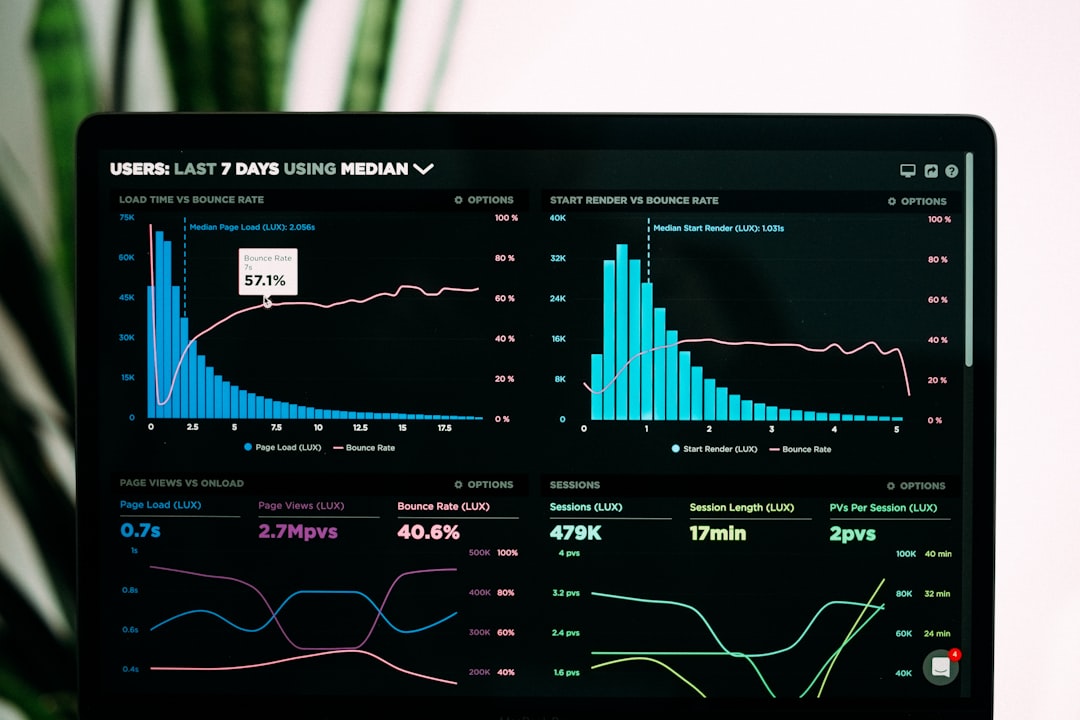
The API checks live search results.
It tells you exactly where your site ranks.
Step 2: Track by Location
This is important.
Rankings change by city and country.
You might rank:
- #2 in New York
- #8 in London
- #1 in Toronto
Without location tracking, you would never know.
DataForSEO lets you track at:
- Country level
- State level
- City level
This is perfect for local SEO.
Step 3: Monitor Desktop vs Mobile Rankings
Google uses mobile-first indexing.
That means mobile rankings matter a lot.
With DataForSEO, you can compare:
- Desktop position
- Mobile position
If there is a big difference, something may be wrong.
Maybe your mobile page speed is slow.
Maybe your design breaks on small screens.
Now you know what to fix.
Step 4: Automate Regular Checks
The true power of APIs is automation.
You can:
- Schedule daily rank checks
- Monitor hundreds of keywords
- Store data in your own dashboard
No manual searching.
No wasted time.
Just clean tracking data, updated automatically.
How to Connect DataForSEO to Your Workflow
You might be thinking:
“This sounds technical.”
It can be. But it does not have to be scary.
Here are simple ways to use it.
Option 1: Use With a Developer
If you have access to a developer, great.
They can:
- Integrate the API into your internal tools
- Create dashboards
- Automate reporting
This is ideal for agencies and SaaS companies.
Option 2: Connect Through Automation Tools
You can connect APIs to:
- Custom apps
- Data visualization platforms
- Reporting tools
This turns raw data into beautiful charts.
Option 3: Build Your Own SEO Tool
Yes. You can.
Many SEO startups use DataForSEO as their data source.
Instead of building crawlers, they focus on:
- User interface
- Reporting features
- Customer experience
DataForSEO handles the heavy data lifting.

Best Practices for Keyword Research and Rank Tracking
APIs are powerful. But strategy matters more.
1. Focus on Intent
Ask yourself:
- Is the user looking to buy?
- Looking to learn?
- Looking to compare?
Match keyword intent with your content goal.
2. Track Clusters, Not Just Single Keywords
Google ranks pages for many related terms.
Instead of tracking one keyword, track a cluster:
- Main keyword
- Variations
- Long-tail versions
This gives you a clearer performance view.
3. Watch Trends
Do not panic over daily changes.
Look at weekly and monthly trends.
SEO is a long game.
4. Combine Rank Data With Traffic Data
A ranking means nothing if no one clicks.
Pair your rank tracking with:
- Organic traffic analytics
- Click-through rate data
- Conversion metrics
That is where real insights appear.
Common Mistakes to Avoid
Let’s keep you out of trouble.
- Tracking too many keywords. Start focused.
- Ignoring local differences. Location matters.
- Skipping competitor research. See who ranks above you.
- Chasing volume only. Intent is more important.
Smart SEO is balanced SEO.
Why DataForSEO Is a Smart Choice
There are many SEO data providers.
But DataForSEO stands out because:
- It offers granular data
- It allows flexible API access
- It supports global search engines
- It scales with your needs
Whether you manage one site or one thousand, it grows with you.
That flexibility is huge.
Final Thoughts
Keyword research and rank tracking do not have to be complicated.
With DataForSEO APIs, you:
- Get real search data
- Automate collection
- Track performance precisely
- Make smarter SEO decisions
It turns guesswork into strategy.
It turns manual tasks into automation.
And most importantly, it gives you clarity.
SEO is not about chasing algorithms.
It is about understanding data.
When you use DataForSEO correctly, the data works for you.
And that is when rankings start to move.