Planning a Facebook event is exciting. But the graphic matters a lot. It is the first thing people see. A bold, clear image can make someone stop scrolling and click Interested.
TLDR: You do not need to be a design wizard to make a great Facebook event graphic. Tools like Canva, Adobe Express, VistaCreate, and Figma make it simple. Pick a tool with templates, use big text, add strong colors, and keep the design clean.
Why Your Facebook Event Graphic Matters
Your event graphic is like a tiny poster on a very busy street. People are scrolling fast. They are half watching TV. They are checking messages. Your image has to shout, but in a friendly way.
A good event graphic tells people three things fast:
- What the event is.
- When it happens.
- Why they should care.
It should also match the mood. A food festival should feel tasty. A yoga class should feel calm. A concert should feel loud, bright, and alive.
1. Canva
Canva is one of the easiest tools for making Facebook event graphics. It is friendly, fast, and full of templates. You can search for Facebook event cover and find many ready-made designs.
Canva is great for beginners. You can drag and drop text, photos, icons, and shapes. You can also upload your own logo or event photo. Then you can change colors and fonts with a few clicks.
Best for: Quick designs, beginners, small businesses, community events.
Fun tip: Try using one large photo and one big headline. Simple graphics often work best.
2. Adobe Express
Adobe Express is another simple design tool. It gives you polished templates that look professional. It is a nice choice if you want your event graphic to feel clean and modern.
You can start with a template or build from scratch. You can add text effects, backgrounds, icons, and images. It also has handy resizing tools, so you can make matching graphics for posts and stories.
Best for: Professional events, webinars, workshops, product launches.
Watch out: Do not add too many text effects. One cool effect is fun. Five can look messy.
3. VistaCreate
VistaCreate is a playful tool with lots of bold templates. It is useful if you want your event to feel fun, bright, and energetic. It has templates for parties, sales, concerts, classes, and more.
The tool is easy to use. You can swap photos, change text, move items, and adjust colors. It also includes animated design options. Though for Facebook event covers, a clear static image is often best.
Best for: Parties, festivals, pop-up shops, creative events.
Fun tip: Use bright colors if your event is cheerful. But keep the text easy to read.
4. Figma
Figma is more advanced, but still very useful. It is popular with designers. It works in your browser and makes it easy to create clean layouts.
Figma is great if you want full control. You can line up every item perfectly. You can save styles for fonts and colors. You can also work with a team in real time.
If you are new to design, Figma may feel a little serious at first. But once you learn the basics, it becomes powerful. It is like a tidy digital desk for your ideas.
Best for: Teams, brands, agencies, repeat events.
Fun tip: Create one master layout. Then reuse it for each new event.
5. Snappa
Snappa is made for fast social media graphics. It has ready-to-use sizes, including Facebook covers and posts. That means less guessing and more designing.
You can choose a template, add your event details, and download the finished graphic. The interface is simple. It is a good pick if you do not want many extra features getting in the way.
Best for: Fast event graphics, social media managers, busy creators.
Watch out: Make sure your most important text is not close to the edges. Facebook crops images in different places on different screens.
6. Piktochart
Piktochart is known for infographics, but it can also help with event graphics. It is great when your event needs more information. For example, a conference, training day, or charity event.
You can make clean designs with icons, charts, and sections. This helps if you need to show speakers, schedules, or key event details.
Best for: Conferences, fundraisers, school events, educational events.
Fun tip: Do not turn your event image into a full brochure. Put only key details on the graphic. Add the rest in the event description.
7. Visme
Visme is a solid tool for polished visual content. It includes templates, icons, photos, and charts. It works well for brands that want a more structured look.
Visme is useful when you need more than one design. You can create an event cover, a flyer, a social post, and a simple presentation. This keeps your event style consistent everywhere.
Best for: Business events, nonprofit events, training sessions, formal gatherings.
8. Placeit
Placeit is helpful if you want mockups and themed templates. It is popular for promotional graphics. You can find designs for music events, gaming events, fitness classes, and more.
It is especially handy when you want a ready-made look fast. Pick a template. Add your text. Change the colors. Done.
Best for: Creators, streamers, fitness coaches, entertainment events.
Watch out: Some templates are very bold. Make sure the design fits your audience.
What Makes a Facebook Event Graphic Pop?
The tool matters. But your choices matter too. A fancy tool cannot fix a confusing design. Keep things simple and clear.
- Use a strong headline. Make the event name easy to read.
- Pick two main colors. Too many colors can feel chaotic.
- Use one or two fonts. More fonts can look messy.
- Add space. Empty space helps your design breathe.
- Choose a clear image. Blurry photos make events look less trustworthy.
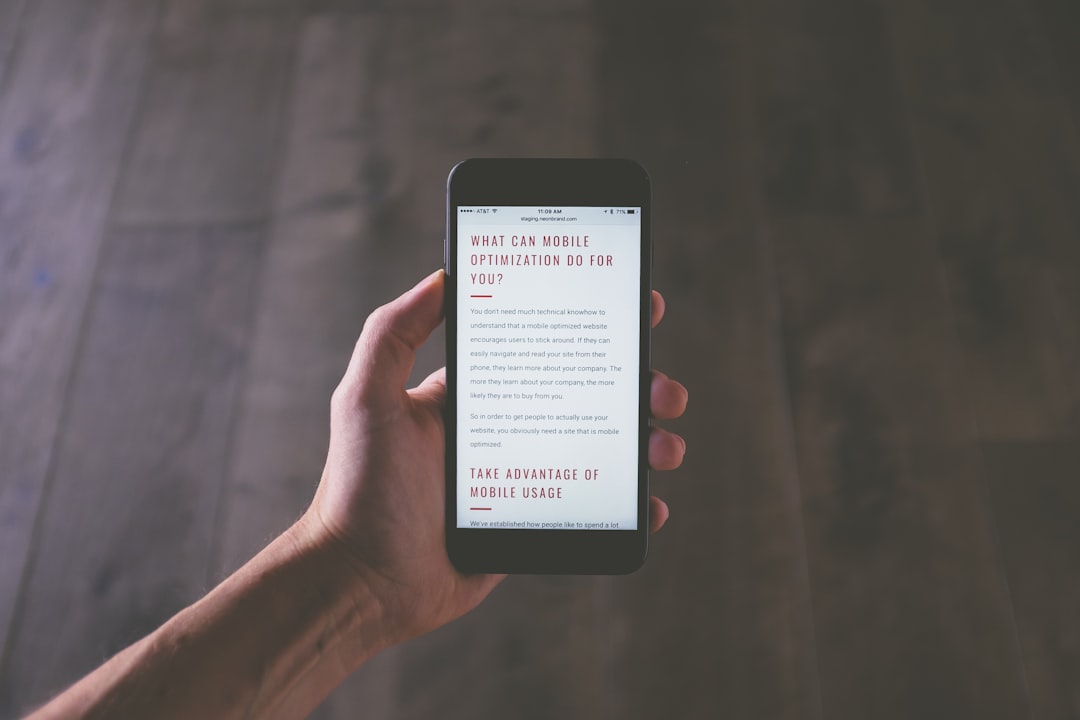
- Check mobile view. Many people will see your event on a phone.
Quick Size Tip
Facebook event cover images can display differently across devices. So keep important text in the center. Do not place dates, logos, or key names too close to the edges.
A wide layout usually works best. Many tools already include Facebook event cover templates. Use those sizes when possible. It saves time and prevents awkward cropping.
Best Tool for Each Need
- Best all-around tool: Canva.
- Best polished look: Adobe Express.
- Best playful templates: VistaCreate.
- Best for teams: Figma.
- Best for quick social graphics: Snappa.
- Best for information-heavy events: Piktochart.
- Best for branded content: Visme.
- Best for themed promos: Placeit.
Final Thoughts
You do not need expensive software or years of training to make an eye-catching Facebook event graphic. You just need the right tool and a clear idea.
Start with a template. Keep your message short. Make the text big. Use colors that match your event mood. Then step back and ask, Would I stop scrolling for this?
If the answer is yes, you are ready to publish. Now go make that event look amazing.