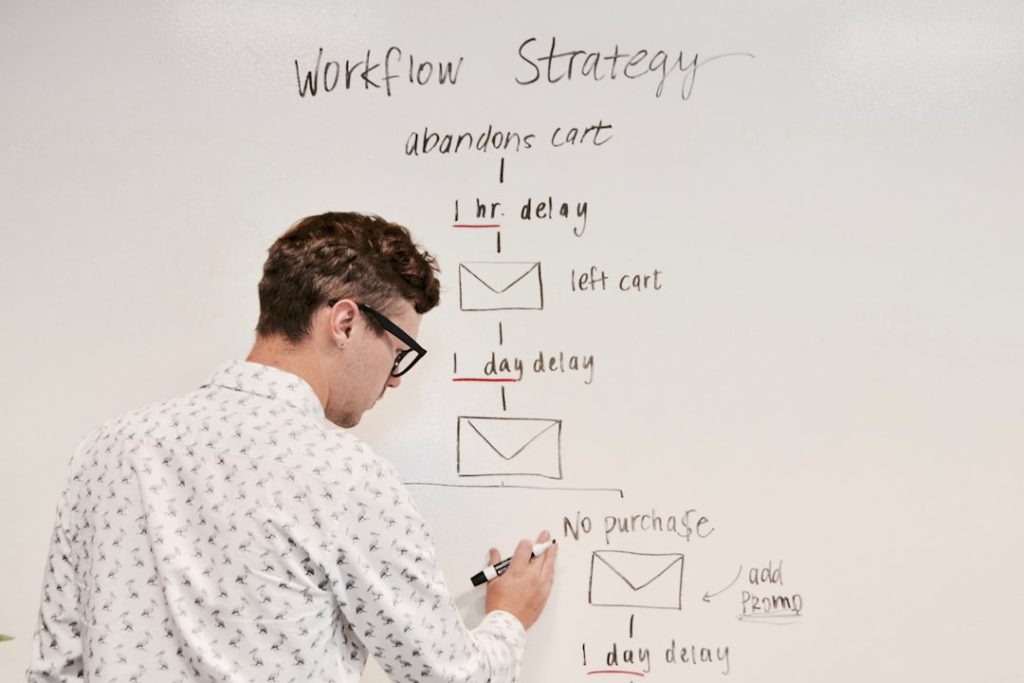
For creators, coaches, newsletter publishers, and small businesses, connecting PayPal with ConvertKit can turn simple payments into automated audience growth. When the two tools work together, a PayPal purchase can trigger a subscriber tag, email sequence, product delivery message, or customer follow-up inside ConvertKit. This helps sellers spend less time copying customer details and more time nurturing buyers.
TLDR: PayPal and ConvertKit can be connected through third-party automation tools such as Zapier, Make, or Pabbly Connect, since a direct native PayPal integration is not usually the main setup path. For example, if a creator sells a $49 ebook through PayPal, each successful buyer can automatically be added to ConvertKit with a tag like Paid Ebook Customer. In a small campaign with 200 buyers, this can save several hours of manual entry and improve follow-up speed by nearly 100% because emails can be sent immediately after payment.
Why Connect PayPal with ConvertKit?
PayPal is widely used for payments, especially by international customers who may not want to enter card details directly on a checkout page. ConvertKit is built for audience management, email marketing, automation, and selling digital products. When connected, these platforms help a business create a smoother customer journey from payment to personalized communication.
A creator might use PayPal to collect payments for coaching sessions, templates, courses, memberships, digital downloads, workshops, or paid newsletter access. Without automation, the creator would need to check PayPal, copy the buyer’s email address, add it to ConvertKit, apply a tag, and send the correct email. With automation, that entire workflow can happen in the background.

What Is Needed Before Starting?
Before creating the connection, a business should prepare a few key items. Having these ready reduces setup errors and makes the automation easier to test.
- An active PayPal account: A business account is usually recommended for selling products or services.
- An active ConvertKit account: The account should include the forms, tags, sequences, or automations needed for the buyer journey.
- An automation platform: Common choices include Zapier, Make, or Pabbly Connect.
- A defined trigger: For example, a successful PayPal sale, completed payment, or new transaction.
- A defined action: For example, adding a subscriber to ConvertKit, applying a tag, or starting an email sequence.
Step 1: Choose an Automation Tool
Because PayPal and ConvertKit are often connected through an intermediary, the first step is choosing a tool that can exchange data between them. Zapier is popular because it has a straightforward interface and supports many common triggers. Make offers more visual workflow building and can be useful for more complex automation. Pabbly Connect is another option for users who want a different pricing structure.
The best choice depends on the business’s volume and complexity. A creator who only needs to add buyers to one ConvertKit sequence may prefer a simple Zapier workflow. A larger business with multiple products, tags, conditional paths, and customer segments may prefer a more flexible automation builder.
Step 2: Create the PayPal Trigger
Inside the chosen automation platform, the first part of the workflow should be the PayPal trigger. This is the event that tells the automation to start. Common triggers include successful sale, completed payment, or new transaction.
The automation tool will usually ask the user to connect a PayPal account and grant permission to read transaction data. Once connected, the tool may pull in a sample payment. This sample is useful because it shows what information PayPal can send, such as the buyer’s name, email address, transaction ID, price, currency, and product description.
At this stage, the business should confirm that the trigger is based on completed payments rather than pending or failed payments. This helps prevent non-paying users from being added to paid customer sequences.
Step 3: Create or Prepare Tags in ConvertKit
Next, ConvertKit should be prepared to receive the buyer information. Tags are one of the most useful ways to organize PayPal customers. For example, a business could create tags such as:
- Purchased Ebook
- Paid Workshop Attendee
- Coaching Client
- Membership Buyer
- VIP Customer
These tags allow the business to send more relevant emails later. For instance, someone who purchased a beginner ebook might receive an upsell to an advanced course, while someone who purchased coaching might receive onboarding information and calendar instructions.

Step 4: Add the ConvertKit Action
After the PayPal trigger is set, the next step is adding the ConvertKit action. In most automation tools, this action may be called Add Subscriber, Update Subscriber, Add Tag, or Add Subscriber to Sequence.
The buyer’s email address from PayPal should be mapped to the subscriber email field in ConvertKit. If available, the buyer’s first name and last name can also be mapped. Then the automation should apply the correct tag or add the buyer to the correct sequence.
For example, a simple workflow might look like this:
- A customer buys a digital guide through PayPal.
- PayPal records the completed payment.
- The automation tool detects the new completed transaction.
- The buyer is added to ConvertKit as a subscriber.
- ConvertKit applies the tag Purchased Digital Guide.
- A delivery sequence sends the download link and follow-up emails.
Step 5: Test the Integration
Testing is essential before relying on the automation. The business should run a test transaction or use a sample transaction from PayPal. Then it should check whether the contact appears correctly in ConvertKit, whether the tag is applied, and whether the correct email sequence begins.
If the automation does not work, common issues include missing permissions, an incorrect PayPal trigger, wrong field mapping, or a ConvertKit form or tag that has not been selected properly. The test should also confirm that duplicate subscribers are handled correctly. ConvertKit usually manages subscribers by email address, but the automation settings should still be reviewed to avoid unnecessary repeated actions.
Step 6: Build a Smart Follow-Up Sequence
Once PayPal and ConvertKit are connected, the real value comes from the follow-up. A buyer should receive more than a basic receipt. ConvertKit can deliver a polished customer experience through automated emails.
A useful paid customer sequence might include:
- Email 1: Purchase confirmation, product access, or next steps.
- Email 2: Helpful usage tips or onboarding guidance.
- Email 3: A testimonial, case study, or support resource.
- Email 4: Related offer, upgrade, consultation, or community invitation.
This type of sequence helps buyers get value faster and can increase repeat purchases. For example, if 10% of ebook buyers later purchase a $199 course, a list of 100 buyers could create 10 additional customers from a properly timed email sequence.
Best Practices for a Reliable Setup
A business should keep the integration simple at first. One PayPal product can connect to one ConvertKit tag and one email sequence. After the basic workflow works reliably, more conditions and product-specific paths can be added.
It is also wise to use clear naming conventions. Tags such as PayPal Buyer Ebook March 2026 or Workshop Paid Customer are easier to understand later than vague labels such as Buyer 1. Clear labels are especially important when a business promotes multiple products.
Another best practice is monitoring the automation history inside the third-party tool. If a transaction fails to pass into ConvertKit, the log can usually show whether the problem came from PayPal, the automation platform, or ConvertKit.

Common Use Cases
PayPal and ConvertKit can support many practical business workflows. A digital creator can deliver PDFs or templates after payment. A consultant can send onboarding instructions after a paid booking. A teacher can add workshop buyers to reminder emails. A membership owner can tag paid members and send renewal information.
The connection is also useful for segmentation. Buyers are usually more valuable than general subscribers, so they should be identified clearly inside ConvertKit. A business can later send special offers only to paying customers or exclude existing buyers from promotional emails for products they already own.
Potential Limitations
The main limitation is that the connection often depends on a third-party automation service. If that service has task limits, delays, or pricing restrictions, the business should account for them. PayPal transaction data can also vary depending on the type of payment button, invoice, checkout, or subscription used.
Another consideration is compliance. The business should ensure that buyers understand they may receive transactional and marketing emails. Email practices should follow relevant privacy and anti-spam regulations, especially when selling internationally.
FAQ
Can PayPal connect directly to ConvertKit?
In many cases, PayPal is connected to ConvertKit through an automation platform such as Zapier, Make, or Pabbly Connect rather than through a simple native integration.
What PayPal event should trigger the automation?
A completed or successful payment is usually the best trigger. This helps ensure that only paying customers are added to the relevant ConvertKit tag or sequence.
Can different PayPal products add different ConvertKit tags?
Yes. Many automation tools allow filters or paths so that different products, prices, or descriptions apply different ConvertKit tags.
Will existing ConvertKit subscribers be duplicated?
ConvertKit generally manages subscribers by email address, so existing contacts are typically updated rather than duplicated. However, the automation should still be tested.
Can ConvertKit send a product download after PayPal payment?
Yes. After the PayPal purchase triggers the automation, ConvertKit can send an email sequence containing a download link, access instructions, or onboarding details.
Is this setup suitable for subscriptions?
It can be, but subscription workflows may require extra planning. The business may need separate automations for new subscription payments, cancellations, failed payments, and renewals.