Choose Mailchimp if you need fast, attractive newsletter CTAs with minimal setup; choose HubSpot if your CTA needs to react to contact data, sales activity, lifecycle stage, or deeper campaign reporting. That is the real split. Mailchimp is easier for clean email buttons and simple audience segments, while HubSpot is stronger when the CTA is part of a larger growth system.
TLDR: Mailchimp is best for lean teams that want to build, test, and send newsletters quickly. HubSpot is better when a CTA should change based on who is reading, what they clicked before, or where they sit in the funnel. For example, a SaaS team with 18,000 subscribers might use Mailchimp to test “Start Free Trial” against “Book a Demo” and see a 14% lift in clicks, while HubSpot could show that demo CTAs convert 27% better among leads already marked as sales qualified. If your newsletter CTA is just a button, Mailchimp may be enough; if it is part of a revenue path, HubSpot usually wins.
What Makes a Newsletter CTA Work?
A good newsletter call to action is not just a bright button. It is a small decision point. It tells the reader what to do next, why they should care, and what they will get.
The strongest CTAs usually have five traits:
- Clear action: “Download the guide” beats “Click here.”
- Low friction: The offer feels easy, quick, and safe.
- Context: The CTA matches the topic of the newsletter.
- Visual contrast: The button stands out without looking spammy.
- Measurement: You can see clicks, conversions, and follow-up behavior.
Both Mailchimp and HubSpot can help with these basics. The difference is how much control you get after the click.
Mailchimp: Best for Simple, Fast Newsletter CTAs
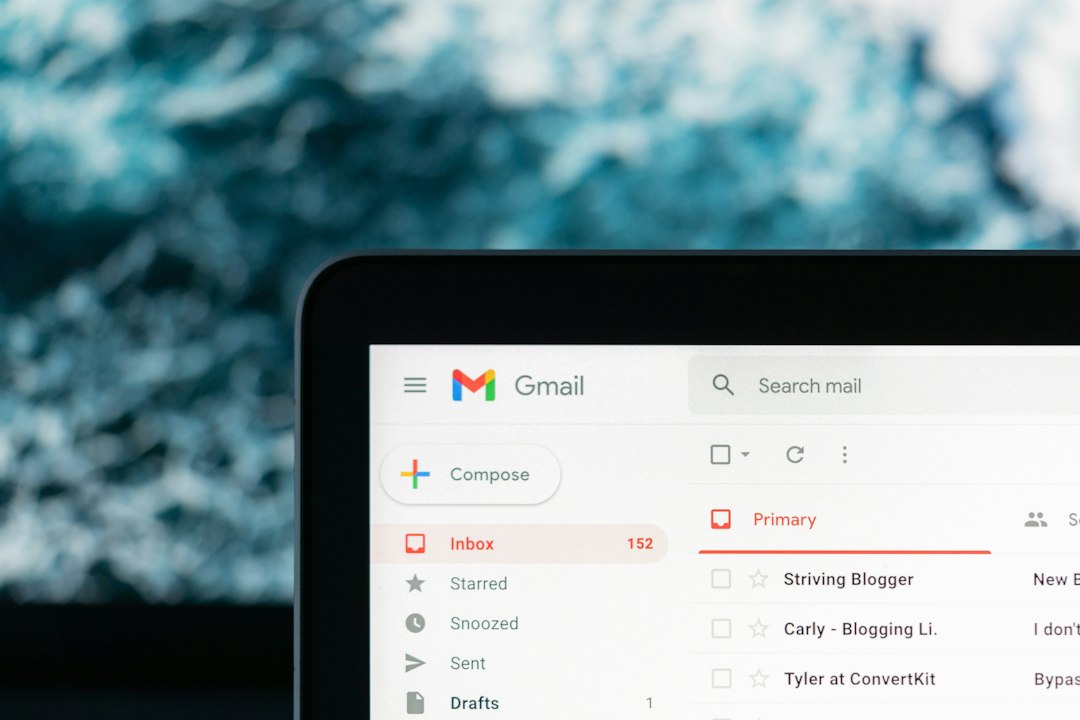
Mailchimp shines when the goal is to build a newsletter quickly and make the CTA look good. Its editor is friendly, visual, and easy to understand. You can add buttons, change colors, adjust spacing, and preview the message without feeling like you need a full operations team.
This matters for small businesses, creators, ecommerce shops, and nonprofits. If your newsletter goal is to push readers toward a sale, event page, new article, coupon, or product launch, Mailchimp handles the job well.
Mailchimp is especially strong for:
- Basic button CTAs inside newsletters
- Quick A/B tests on subject lines and content
- Simple audience segments
- Product promotion emails
- Teams without a dedicated CRM manager
The editor is one of its best points. It is easy to create a clean CTA block with a headline, a short pitch, and a button. You can also use product blocks if you run ecommerce campaigns. That saves time.
The annoying part? Some reporting can feel shallow once you want answers beyond opens and clicks. You may know that 842 people clicked a CTA, but connecting that behavior to long-term revenue, sales calls, or lead stage can take extra work. Honestly, it feels like Mailchimp gives you the “what happened” faster than the “why it mattered.”
HubSpot: Best for Personalized and Revenue Based CTAs
HubSpot is stronger when a CTA is not the final step, but part of a full customer journey. Its newsletter tools connect to CRM records, forms, lists, workflows, landing pages, ads, and sales pipelines. That makes it useful for B2B teams, SaaS companies, agencies, and any business that tracks contacts closely.
With HubSpot, CTAs can be tied to contact properties. For example, a subscriber marked as a new lead might see “Download the Starter Guide,” while an existing customer might see “Join the Advanced Training.” That kind of personalization can lift performance because the offer feels more relevant.
HubSpot is especially strong for:
- Smart CTAs based on contact data
- CRM connected reporting
- Lead nurturing campaigns
- Sales and marketing alignment
- Attribution across forms, pages, emails, and deals
The tradeoff is complexity. Expect to waste time on setup if your CRM fields are messy. A CTA rule is only useful if the data behind it is clean. If lifecycle stages, lists, and form sources are inconsistent, HubSpot can feel heavier than it should.

CTA Design: Which Tool Gives You Better Creative Control?
Mailchimp is usually better for quick visual work. Its templates are polished, and the drag and drop builder makes CTA sections easy to place. You can create a bold button, add supporting text, and keep the layout tidy in a few minutes.
HubSpot also has a solid editor, but its strength is not pure design speed. Its value comes from smart content and tracking. If you want a newsletter that changes based on the reader, HubSpot has the edge. If you want a pretty campaign built before lunch, Mailchimp is often smoother.
For CTA copy, both platforms support the same core best practices:
- Use verbs: “Get the checklist,” “Reserve your spot,” “Try the demo.”
- Be specific: “See pricing” is clearer than “Learn more.”
- Match intent: A cold subscriber may want a guide, not a sales call.
- Keep it short: Two to five words often work best on buttons.
Testing CTAs: Mailchimp Is Easier, HubSpot Goes Deeper
Mailchimp makes basic testing simple. You can test subject lines, send times, content, and sometimes different campaign elements depending on your plan. For newsletter CTAs, this is useful when you want to compare button wording or offer angles.
A simple Mailchimp test might compare:
- “Shop the Collection” vs. “Get 20% Off”
- “Read the Report” vs. “Download the Report”
- A CTA near the top vs. a CTA after the main story
HubSpot testing can become more powerful because results connect to CRM behavior. You can see not only which CTA got more clicks, but which one influenced form fills, meetings, opportunities, or closed deals. That is a big deal for teams that care about sales outcomes, not just newsletter engagement.
For instance, one CTA may have a 5.8% click rate, while another has only 4.1%. Mailchimp might make the first one look like the winner. HubSpot might reveal the second CTA created twice as many qualified leads. That changes the decision.
Analytics: Clicks Are Not Enough
Newsletter CTAs should be judged on more than click rate. Clicks show interest. They do not always show value.
Track these metrics when comparing tools:
- Click through rate: How many readers clicked the CTA?
- Click to conversion rate: How many completed the next step?
- Revenue per email: Did the CTA produce sales?
- Lead quality: Did the CTA attract the right people?
- Unsubscribes: Did the CTA feel too pushy?
Mailchimp gives clear campaign reports for common email metrics. HubSpot gives broader attribution if your site, forms, and CRM are connected. That makes HubSpot better for teams asking, “Which newsletter CTA helped create pipeline?”

Which One Should You Pick?
Pick Mailchimp if:
- You send newsletters to a broad audience.
- You need attractive CTA buttons without much setup.
- Your main goals are traffic, sales, event signups, or content clicks.
- You do not need deep CRM based personalization.
- Your team wants speed over advanced routing.
Pick HubSpot if:
- Your newsletter supports a sales funnel.
- You want CTAs based on lifecycle stage or contact behavior.
- You need to track leads from email click to deal close.
- Your marketing and sales teams share the same contact database.
- You care about attribution as much as design.
Practical CTA Examples for Each Platform
For Mailchimp, a strong ecommerce CTA might be:
“Members get early access for 48 hours. Shop the new collection before it opens to everyone.”
Button: Shop Early
This works because it is simple, urgent, and easy to measure.
For HubSpot, a B2B CTA could change by contact type. A first time subscriber sees:
“New to automation? Start with our 12 point checklist.”
Button: Get the Checklist
A sales qualified lead sees:
“Ready to compare rollout options? See how the plan works for your team.”
Button: Book a Demo
That difference is where HubSpot earns its keep. The CTA can match the reader’s stage instead of treating every subscriber the same.
Final Verdict
Mailchimp is the better choice for most simple newsletter CTA needs. It is fast, readable, and friendly for teams that want campaigns out the door without a lot of setup. HubSpot is the stronger choice when CTAs need to be personalized, scored, tracked, and tied to revenue.
If your newsletter CTA goal is “get more clicks this week,” Mailchimp is likely enough. If the goal is “turn the right clicks into customers and prove which CTA helped,” HubSpot is the better fit. The smartest choice depends on how far beyond the button you need to see.