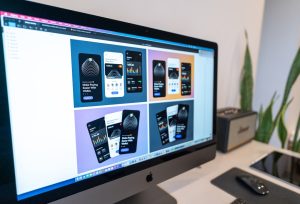
Great logos used to take weeks to design. You needed a designer. Meetings. Revisions. Invoices. Not anymore. Today, AI logo makers can turn a rough idea into a polished brand asset in minutes. Type a few words. Click a button. Download your logo. It really is that simple.
TLDR: AI logo makers help you create professional logos in minutes. You answer a few questions, pick styles you like, and the tool does the hard work. Some are better for startups, others for eCommerce or social media brands. The best tools combine speed, customization, and ready-to-use brand files.
Let’s explore the best AI logo makers that instantly turn ideas into brand assets. We’ll keep it fun. And easy.
What Makes a Great AI Logo Maker?
Before jumping into the list, let’s look at what actually matters.
- Speed – Can it generate logos quickly?
- Customization – Can you tweak fonts, colors, and layouts?
- File quality – Do you get high-resolution and vector files?
- Brand extras – Does it include social media kits or brand guides?
- Ease of use – Is it beginner-friendly?
The best tools check most, if not all, of these boxes.
1. Looka
Best for startups and small businesses.
Looka feels smart. Because it is. You enter your business name. Choose industries. Pick logo styles you like. In seconds, you get dozens of polished options.
It shines in branding. Not just logos.
- Business card designs
- Social media posts
- Email signatures
- Brand guidelines
The designs feel modern. Clean. Startup-ready.
Why people love it: It doesn’t just give you a logo. It gives you a brand kit.
Downside: Higher-quality files cost more.
Image not found in postmeta2. Canva AI Logo Maker
Best for beginners and content creators.
Canva is already popular. So its AI logo tool feels familiar.
You type your business name. Add a slogan. Choose styles. Canva generates editable templates. The magic? You can tweak everything.
- Drag and drop icons
- Change fonts instantly
- Adjust spacing
- Test different color palettes
If you already design social posts in Canva, this is a no-brainer.
Why people love it: Super easy to edit. No design skills needed.
Downside: Some templates can look similar to others.
3. Tailor Brands
Best for entrepreneurs who want full business tools.
Tailor Brands feels like a business assistant.
You answer simple questions. Then the AI generates logos that match your style. But it doesn’t stop there.
- LLC formation services
- Branded merchandise
- Website builder
- Social media tools
This is for people who want everything in one place.
Why people love it: Full business ecosystem.
Downside: Subscription pricing model.
4. Wix Logo Maker
Best for website owners.
Wix asks questions about your brand personality. Fun? Professional? Bold? Minimal?
Then it delivers logo options based on your answers.
The best part? Seamless website integration. If you build your site on Wix, your branding flows automatically.
- Scalable vector files
- Social media versions
- Website-ready branding
Why people love it: Smooth connection between logo and website.
Downside: Full brand assets require payment.
5. Brandmark
Best for modern, minimal brands.
Brandmark focuses on simplicity. You enter your business name. Add keywords. The AI generates clean, modern logo concepts.
Expect bold typography. Smart color combinations. Sleek icons.
It also suggests:
- Font pairings
- Color psychology ideas
- Logo variations
Why people love it: Strong design aesthetics.
Downside: Fewer playful options.
6. Logo AI
Best for fast logo drafts.
This one is all about speed.
You type. It generates. Done.
Logo AI also auto-creates matching social content and even business cards. Great for quick launches.
Why people love it: Extremely fast results.
Downside: Customization is limited compared to others.
Comparison Chart
| Tool | Best For | Customization | Brand Extras | Pricing Style |
|---|---|---|---|---|
| Looka | Startups | High | Full brand kit | One time or bundle |
| Canva | Beginners | Very High | Social templates | Free + Pro option |
| Tailor Brands | Entrepreneurs | Medium | Business services | Subscription |
| Wix Logo Maker | Website owners | High | Website integration | One time payment |
| Brandmark | Modern brands | Medium | Style guidance | One time payment |
| Logo AI | Quick drafts | Low to Medium | Basic brand assets | One time payment |
How AI Logo Makers Actually Work
It may feel like magic. But it’s smart math.
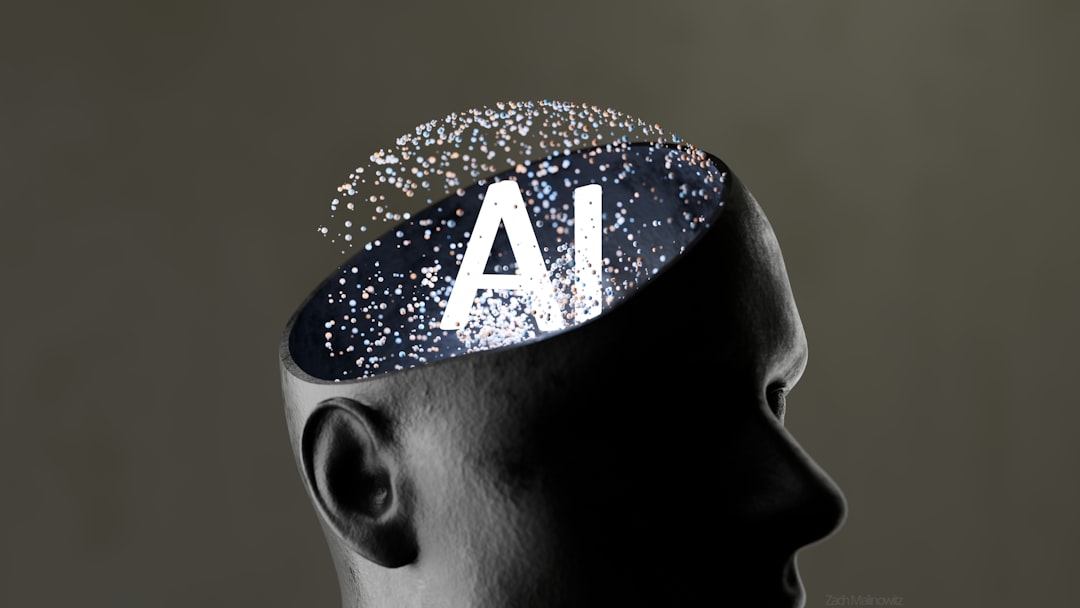
These tools are trained on thousands, sometimes millions, of logo designs. They learn patterns. Colors. Font pairings. Layout structures.
When you type your business name and select preferences, the AI:
- Analyzes your industry
- Matches design trends
- Applies color psychology
- Builds layout combinations
All in seconds.
No coffee break needed.
When Should You Use an AI Logo Maker?
AI logo makers are perfect if:
- You’re launching quickly
- You have a small budget
- You want ideas to test
- You need branding for social media
They are also great for side projects. Personal brands. Online stores.
But if you’re building a global brand with deep storytelling, a human designer may still add extra strategic depth.
Think of AI as your fast starting point.
Tips for Getting Better Results
Want your AI logo to look less generic? Follow these tips.
1. Be specific with keywords.
Instead of “fitness,” try “modern minimalist fitness coaching for women.”
2. Experiment with styles.
Generate multiple variations. Compare them.
3. Customize fonts.
Fonts change everything. Serif feels classic. Sans serif feels modern.
4. Test colors carefully.
Blue feels trustworthy. Red feels bold. Green feels natural.
5. Download vector files.
Always get scalable formats like SVG.
Are AI Logos Trademark Safe?
Important question.
Most AI logo makers generate original combinations. But icons and symbols may be drawn from shared libraries.
Always:
- Check for similar trademarks
- Search your logo online
- Consult a legal expert if needed
It’s better to be safe than sorry.
The Future of AI Logo Design
AI logo makers are getting smarter fast.
We’re seeing:
- Text-to-logo generation from detailed prompts
- AI that understands brand voice
- Animated logo creation
- Automatic brand storytelling
Soon, AI won’t just design logos. It will build full brand identities in one click.
Wild. And exciting.
Final Thoughts
AI logo makers are changing branding forever.
They are fast. Affordable. Simple to use.
Tools like Looka, Canva, Tailor Brands, Wix Logo Maker, Brandmark, and Logo AI make it possible to go from idea to polished brand asset in minutes.
No design degree required.
Start with one. Play with styles. Explore colors. Test variations.
You might be surprised how good your brand can look with just a few clicks.
Because today, creativity doesn’t start with a sketchpad.
It starts with AI.