DevOps can feel big and scary. Like something only giant tech companies can afford. But the truth is simple. Small development teams can use DevOps too. And they often benefit the most. With the right tools, even a team of three people can build, test, and ship software like pros.
TLDR: Small teams need DevOps tools that are simple, affordable, and easy to set up. Focus on version control, CI/CD, containers, monitoring, and collaboration tools. GitHub, GitLab, Docker, Jenkins, and Slack are great picks. Start small, automate what hurts the most, and grow from there.
In this article, we’ll explore the best DevOps tools for small development teams. No buzzword overload. No corporate fluff. Just clear and practical advice.
Why DevOps Matters for Small Teams
Small teams move fast. That is their superpower. But speed can also cause chaos.
- Code breaks.
- Deployments fail.
- Servers crash.
- No one knows what changed.
DevOps helps solve these problems. It brings development and operations together. It encourages automation. It improves communication. And most importantly, it saves time.
Time is gold for small teams.
1. Version Control: GitHub or GitLab
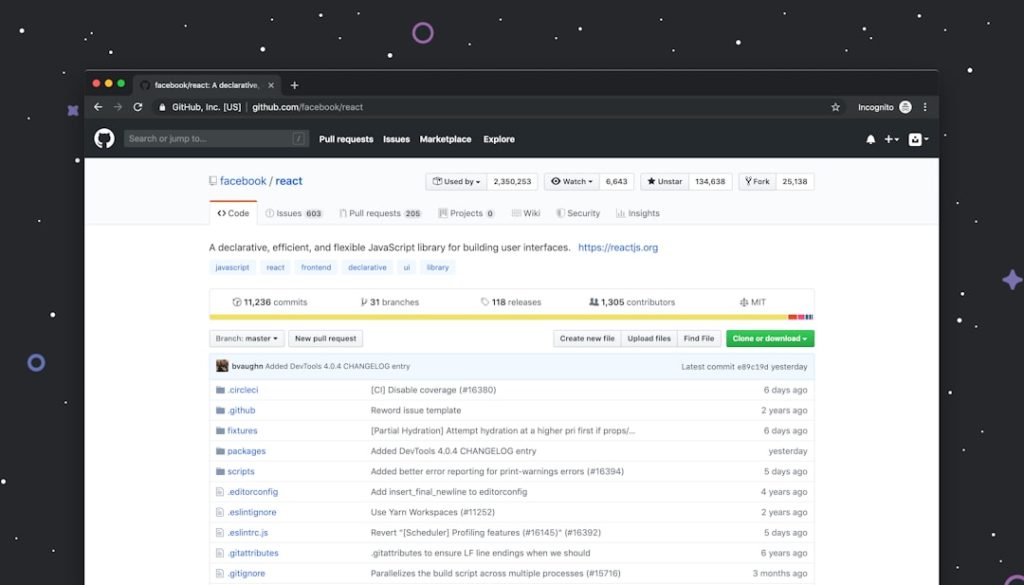
If you pick only one DevOps tool, make it version control.
Git is the standard. But you need a platform to manage repositories. Two great options are:
- GitHub
- GitLab
Both are fantastic for small teams.
Why they’re great:
- Easy pull requests
- Code reviews built in
- Branch management
- Issue tracking
- Built-in CI/CD (especially strong in GitLab)
They also offer generous free tiers. That’s perfect for startups and indie teams.
Pro tip: Protect your main branch. Always use pull requests. It keeps your code clean and your team sane.

2. Continuous Integration: GitHub Actions or GitLab CI
Manual testing is slow. Manual builds are worse.
This is where Continuous Integration (CI) comes in. Every time someone pushes code, your system:
- Runs tests
- Builds the project
- Checks for errors
Automatically.
For small teams, the easiest solution is built-in CI:
- GitHub Actions
- GitLab CI/CD
You don’t need extra servers. Setup is simple. Configuration lives in your repo.
Why small teams love it:
- No complex infrastructure
- Fast setup
- Free minutes for small projects
- Scales when you grow
CI reduces the “it works on my machine” problem. And that alone is worth it.
3. Continuous Deployment: Jenkins or Built-In Pipelines
CI is about testing code. Continuous Deployment (CD) is about shipping it.
Once tests pass, your app can deploy automatically.
For small teams, you have two solid choices:
- Use GitHub Actions or GitLab CI for deployment
- Use Jenkins
Jenkins is powerful. It’s open source. It has thousands of plugins. But it needs maintenance.
If your team is tiny, built-in pipelines are usually better. Simpler. Cleaner. Less overhead.
Automated deployments mean:
- Fewer human errors
- Faster releases
- More confidence
Push code. Go grab coffee. It deploys itself.
4. Containerization: Docker
Docker is almost magical.
It lets you package your application and its dependencies into a single container. That container runs the same everywhere.
Your laptop. A staging server. Production cloud.
No surprises.
Why Docker is perfect for small teams:
- Easy environment setup
- Fewer “works on my machine” bugs
- Fast onboarding for new developers
- Lightweight compared to full virtual machines
A simple Dockerfile can define your entire environment. That’s powerful.

If you want to go further, you can explore:
- Docker Compose for local multi-service apps
- Kubernetes later, when you really need it
But remember. Small team? Keep it simple. Docker alone is often enough.
5. Infrastructure as Code: Terraform
Clicking around in a cloud dashboard is fine at first.
But it does not scale.
Infrastructure as Code (IaC) lets you define servers, databases, and networks using code.
The most popular tool? Terraform.
With Terraform, you can:
- Create cloud resources automatically
- Version control your infrastructure
- Recreate environments fast
- Avoid configuration drift
For small teams using AWS, Azure, or Google Cloud, Terraform keeps things clean.
Even better. If something breaks, you redeploy. No panic clicking required.
6. Monitoring: Prometheus and Grafana
You deploy your app. It works.
But is it healthy?
You need monitoring.
Two popular tools:
- Prometheus for collecting metrics
- Grafana for visual dashboards
They work beautifully together.
You can track:
- CPU usage
- Memory
- Response times
- Error rates
For very small teams, you might prefer hosted solutions like:
- Datadog
- New Relic
- Cloud provider monitoring tools
Less setup. More convenience.

The key lesson? If you don’t measure it, you can’t improve it.
7. Communication: Slack or Microsoft Teams
DevOps is not just tools. It’s culture.
And culture needs communication.
Slack is extremely popular with small dev teams. Microsoft Teams works great too.
Why?
- Quick discussions
- Channels for projects
- Integrations with GitHub and CI tools
- Deployment alerts in chat
Imagine this:
- A deployment finishes.
- A message appears in Slack.
- The whole team knows instantly.
That’s smooth DevOps.
8. Project Management: Jira, Trello, or Linear
You need to track work.
Even if your team is tiny.
Good options include:
- Jira – powerful, feature rich
- Trello – simple, visual boards
- Linear – modern and fast
Pick the tool that fits your workflow.
Small teams often prefer simplicity. A Kanban board can be enough.
The goal is clarity. Everyone should know:
- What is being built
- Who is building it
- What is blocked
How to Choose the Right Tools
Here’s the secret.
You do not need everything.
Small teams should focus on tools that are:
- Easy to learn
- Low maintenance
- Well documented
- Affordable
Start with the basics:
- GitHub or GitLab
- Built-in CI/CD
- Docker
Add more only when necessary.
Complex setups slow small teams down. Simplicity helps them win.
A Simple DevOps Stack for Small Teams
If you want a practical starter stack, here’s one:
- Code: GitHub
- CI/CD: GitHub Actions
- Containers: Docker
- Cloud: AWS or similar
- Infrastructure: Terraform
- Monitoring: Grafana Cloud
- Chat: Slack
This setup is modern. Scalable. And friendly to small teams.
Final Thoughts
DevOps is not about fancy tools.
It is about:
- Automation
- Collaboration
- Reliability
- Speed
Small development teams actually have an advantage. Fewer people. Less bureaucracy. Faster decisions.
Pick tools that reduce manual work. Automate testing and deployment. Monitor your systems. Talk to each other.
Start small. Improve step by step.
Before you know it, your tiny team will be shipping software like a seasoned tech giant.
And yes. Sleeping better at night too.