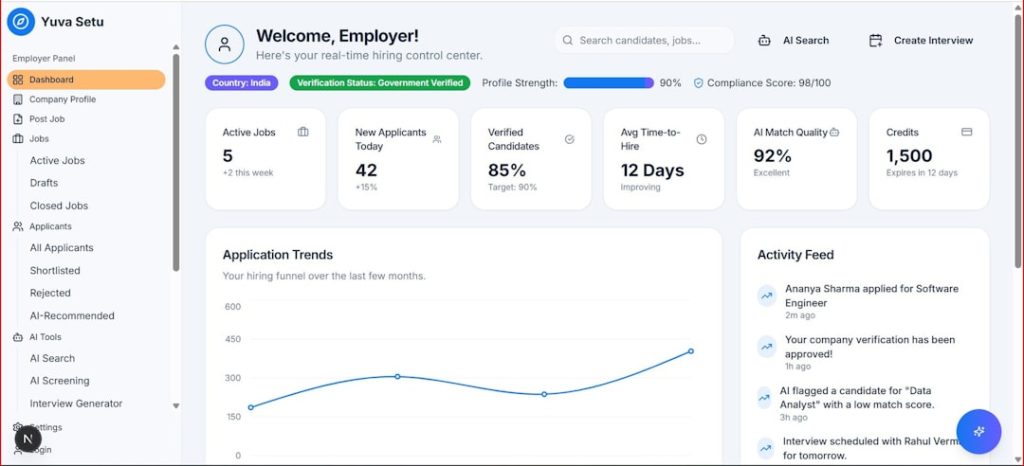
Choosing aesthetic software is a significant operational decision for any medical aesthetics practice, med spa, dermatology clinic, or cosmetic treatment provider. The right system can improve scheduling, documentation, compliance, patient communication, marketing, reporting, and revenue management. The wrong system can create administrative friction, frustrate staff, weaken patient experience, and expose the practice to avoidable risks. A careful, structured evaluation is therefore essential.
TLDR: The best aesthetic software for your practice should fit your clinical workflow, support secure patient data management, simplify scheduling and payments, and provide reliable reporting. Prioritize usability, compliance, integrations, customer support, and scalability over flashy features. Before committing, request a demonstration, involve your team, compare total costs, and test how well the platform handles real daily tasks.
Start With Your Practice’s Actual Needs
Before comparing vendors, clarify what your practice truly needs the software to accomplish. A solo injector, a multi-location med spa, and a dermatology clinic with surgical and non-surgical services may all require very different features. Avoid beginning the process by asking, “Which software has the most features?” Instead, ask, “Which system solves our most important operational problems?”
Common challenges in aesthetic practices include missed appointments, inefficient charting, inconsistent before-and-after photography, incomplete consent documentation, weak follow-up processes, poor inventory tracking, limited financial visibility, and fragmented patient communication. Write these challenges down and rank them by importance.
A practical needs assessment should include input from:
- Providers who document treatments, review patient history, and manage clinical outcomes.
- Front desk staff who handle scheduling, intake, payments, and patient communication.
- Practice managers who need reporting, staff productivity data, and revenue insights.
- Marketing staff who rely on campaigns, memberships, reviews, promotions, and retention tools.
- Compliance or medical leadership responsible for privacy, consent, and record accuracy.
This internal review will help you separate essential capabilities from optional conveniences. It will also reduce the risk of choosing a platform that looks impressive during a demonstration but fails to support your daily workflow.
Evaluate Core Features Carefully
Most aesthetic software platforms include scheduling and patient records, but the quality and depth of these tools can vary considerably. Assess each feature in the context of how your team actually works.
Scheduling and Calendar Management
Efficient scheduling is central to profitability and patient satisfaction. Look for a calendar that is intuitive, flexible, and fast. It should support multiple providers, rooms, service durations, recurring appointments, online booking, waitlists, appointment confirmations, and cancellation policies.
If your practice offers services with different preparation times, recovery considerations, or provider requirements, the scheduling system should accommodate these details. A strong platform should also reduce no-shows through automated reminders by text, email, or both.
Electronic Medical Records and Treatment Documentation
Clinical documentation in aesthetics has unique requirements. The software should support treatment notes, mapped injection sites, product usage, lot numbers, dosage, contraindications, allergies, consent forms, and treatment plans. If your practice performs injectables, lasers, body contouring, skin treatments, or regenerative procedures, verify that the documentation tools are suitable for each service category.
Before-and-after photo management is especially important. Images should be stored securely, organized by patient and treatment type, and easy to compare over time. Confirm whether photos can be captured through a mobile device, whether they are automatically associated with the correct patient record, and whether access is permission controlled.
Digital Forms and Consents
Paper forms slow down the patient journey and increase the risk of lost or incomplete information. Choose software that supports digital intake forms, medical history updates, treatment-specific consent forms, HIPAA acknowledgments where applicable, and pre-care or post-care instructions.
Ideally, patients should be able to complete forms before arriving. This improves the appointment experience and allows providers to review important information in advance.
Payments, Packages, and Memberships
Aesthetic practices often rely on packages, prepaid treatments, memberships, deposits, gift cards, loyalty programs, and retail product sales. Not all general medical software handles these well. Confirm that the platform can manage your specific revenue model.
Payment tools should be secure, transparent, and easy for staff to use. Ask about card-on-file capabilities, refund workflows, financing integrations, membership billing, and end-of-day reconciliation. If your practice sells skincare or other retail products, evaluate point-of-sale and inventory features together rather than separately.
Prioritize Compliance and Data Security
Trustworthy software must protect sensitive patient information. Aesthetic practices collect medical histories, treatment records, photographs, payment details, and personal contact information. A breach or compliance failure can cause serious financial, legal, and reputational harm.
When evaluating vendors, ask direct questions about:
- HIPAA compliance or the relevant privacy regulations in your jurisdiction.
- Data encryption during transmission and storage.
- User permissions that limit access based on role.
- Audit logs showing who accessed or modified records.
- Secure backups and disaster recovery procedures.
- Business associate agreements when required.
- Payment security standards for card processing.
Do not rely on vague assurances such as “we are secure” or “we work with medical practices.” Request documentation. Serious vendors should be able to explain their security architecture, compliance responsibilities, and data handling procedures in clear terms.
Security should not be treated as an advanced feature. It is a baseline requirement.
Consider Ease of Use and Staff Adoption
Even powerful software can fail if staff members find it difficult to use. Aesthetic practices are often fast-paced, with front desk teams managing calls, arrivals, payments, and schedule changes while providers move between consultations and treatments. The system must support speed and accuracy under real working conditions.
During a demonstration, pay attention to how many clicks it takes to complete common tasks. Can a staff member schedule a new patient quickly? Can a provider document a treatment without interrupting the consultation? Can a manager find daily revenue, outstanding balances, or appointment trends without exporting complicated spreadsheets?
Software adoption is also influenced by training. Ask vendors what onboarding includes, whether training is live or recorded, how long implementation usually takes, and whether role-specific training is available. A reliable vendor should provide structured support before, during, and after launch.
Review Integrations With Your Existing Tools
Your aesthetic software should not operate in isolation. Most practices use multiple systems for marketing, accounting, payroll, online booking, email campaigns, call tracking, payment processing, reputation management, or e-commerce. Integrations reduce duplicate data entry and improve operational accuracy.
Important integrations may include:
- Accounting software for revenue reconciliation.
- Email and SMS marketing platforms for patient retention.
- Online booking tools and website forms.
- Payment processors and financing providers.
- Inventory or retail systems.
- Review generation and reputation management tools.
- Analytics platforms for business reporting.
Ask whether integrations are native, third-party, or custom. Native integrations are typically easier to maintain, while custom integrations may involve additional cost and complexity. Also confirm whether data flows both ways or only in one direction.
Assess Reporting and Business Intelligence
Aesthetic practices need accurate data to make sound business decisions. Strong reporting tools can reveal which services are most profitable, which providers are most productive, which marketing campaigns generate bookings, and which patients are due for follow-up.
Look for reports that cover:
- Revenue by service, provider, location, and time period.
- Appointment volume, cancellations, and no-show rates.
- Patient retention and rebooking rates.
- Package, membership, and prepaid balance tracking.
- Retail product sales and inventory performance.
- Lead conversion and consultation outcomes.
- Marketing campaign performance.
Reports should be easy to understand and export when needed. However, avoid relying only on static reports. A good dashboard can give owners and managers a real-time view of practice health. This is especially valuable for multi-location businesses or practices with ambitious growth plans.
Think About Patient Experience
The patient experience begins long before the treatment and continues after the visit. Software plays a major role in how professional, organized, and responsive your practice feels.
Consider whether the platform supports online booking, mobile-friendly forms, automated appointment reminders, secure messaging, personalized follow-ups, post-care instructions, review requests, and reactivation campaigns. These functions can reduce administrative work while making patients feel informed and cared for.
However, automation should still feel appropriate and human. Patients seeking aesthetic treatments often expect discretion, personalization, and reassurance. Choose a system that allows messages to be customized by service, provider, or patient segment rather than sending generic communication to everyone.
Compare Pricing Beyond the Monthly Subscription
Software pricing can be difficult to compare because vendors structure fees differently. Some charge per provider, per location, per user, or by feature package. Others charge extra for implementation, data migration, training, texting, email volume, payment processing, integrations, or premium support.
When reviewing costs, calculate the total cost of ownership, not just the advertised monthly fee. Request a written quote that includes all expected expenses for the first year and beyond.
Key pricing questions include:
- Is there a setup or implementation fee?
- How much does data migration cost?
- Are training and onboarding included?
- Are text messages or email campaigns billed separately?
- Are integrations included or extra?
- Does the payment processor require a long-term contract?
- What happens to pricing if the practice adds providers or locations?
- Is support included at all plan levels?
The cheapest option is not always the most economical. If a platform saves staff time, reduces no-shows, improves rebooking, and strengthens retention, it may produce a stronger return than a lower-cost system with limited functionality.

Examine Vendor Reputation and Support
Software is not only a product; it is an ongoing relationship with the vendor. Reliable support is critical, particularly during implementation, staff turnover, system updates, or urgent operational issues.
Research the vendor’s reputation carefully. Read independent reviews, ask for references from practices similar to yours, and pay attention to comments about support response times, system reliability, billing transparency, and product development. A vendor with experience in aesthetics is often better equipped to understand the specific needs of injectables, lasers, memberships, photography, and retail workflows.
During the sales process, observe how the vendor communicates. Do they answer questions clearly? Do they acknowledge limitations honestly? Do they push for a quick contract, or do they help you evaluate fit? A trustworthy vendor should act as a long-term partner, not merely a salesperson.
Request a Demonstration Based on Real Scenarios
A generic software demo may not reveal whether the system can support your practice. Provide the vendor with real scenarios and ask them to demonstrate each one. For example:
- A new patient books a consultation online, completes intake forms, receives reminders, and checks in.
- A provider documents a neurotoxin treatment, records dose and lot number, takes photos, and creates a follow-up plan.
- A patient purchases a package, redeems one session, and maintains a remaining balance.
- A manager reviews monthly revenue by provider and identifies missed rebooking opportunities.
- A staff member processes a refund, updates inventory, or sends post-care instructions.
These scenarios expose workflow gaps that may not appear in a polished presentation. If possible, request access to a trial environment or sandbox account so your team can test the software independently.
Plan for Data Migration and Implementation
Transitioning to new software can be disruptive if not planned carefully. Data migration may include patient demographics, appointment history, treatment notes, photos, forms, financial records, package balances, memberships, and inventory. Not all data may transfer perfectly, so clarify what will migrate, what will not, and who is responsible for reviewing accuracy.
Create an implementation plan with defined timelines, staff responsibilities, training sessions, and contingency measures. Avoid launching during your busiest season if possible. It may be wise to run selected workflows in parallel for a short period, especially for scheduling, payments, and patient communication.
Successful implementation depends on leadership. Assign an internal project owner who understands your practice operations and can coordinate with the vendor. This person should also gather staff feedback and ensure that new processes are followed consistently.
Make a Decision Based on Fit, Not Hype
The aesthetic software market includes many attractive platforms, and each vendor will emphasize its strengths. Your responsibility is to choose the system that best fits your clinical standards, administrative workflow, compliance obligations, financial model, and growth plans.
Use a structured scorecard to compare options. Rate each platform on essential features, ease of use, security, reporting, integrations, support, scalability, and total cost. Involve the people who will use the system daily, not only the decision-makers who approve the budget.
The right aesthetic software should make your practice more organized, more secure, and more profitable without compromising patient care. It should reduce friction, improve visibility, and support consistent service delivery. When selected thoughtfully, it becomes more than a scheduling tool or digital chart. It becomes a foundation for better operations, stronger patient relationships, and sustainable practice growth.