
Moving a website can feel like moving a bakery across town while the ovens are still on. Customers need to find you. Search engines need to understand what changed. And your rankings need to stay warm and fluffy. The good news? With a smart SEO migration plan, you can change your site without sending your traffic into a panic.
TLDR: A website migration needs planning, testing, and careful redirects. Keep your old URLs mapped to the right new URLs. Check technical SEO before and after launch. Then monitor traffic, rankings, and errors like a hawk with coffee.
What Is an SEO Migration?
An SEO migration is any major website change that can affect search rankings. It is not just “moving a site.” It can include many things.
- Changing your domain name
- Moving from HTTP to HTTPS
- Changing your URL structure
- Redesigning your website
- Switching platforms or CMS
- Combining multiple websites
- Deleting, merging, or rewriting pages
Search engines love clear signals. During a migration, those signals can get messy. Pages move. Links break. Content changes. Redirects get forgotten. Google gets confused. And when Google gets confused, rankings can wobble.
Think of SEO migration like changing your mailing address. If you tell everyone, mail arrives. If you forget, your birthday cards go to a stranger. Sad cake.
Step 1: Know Why You Are Migrating
Before touching anything, ask one simple question: Why are we doing this?
A migration should have a clear reason. Maybe your site is slow. Maybe your layout is old. Maybe your URLs are messy. Maybe your platform is holding you back.
Write down your goals. For example:
- Improve site speed
- Make the site easier to manage
- Improve mobile experience
- Clean up duplicate pages
- Support a new brand name
This helps you make better choices. It also helps you avoid random changes. Random changes are where SEO gremlins live.
Step 2: Crawl Your Current Website
Before you move anything, make a full list of what exists now. This is called a crawl. It shows your current URLs, titles, meta descriptions, status codes, headings, canonicals, and more.
You need this list because your current site is your map. Without it, you are packing boxes in the dark.
Pay special attention to:
- Top traffic pages
- Top ranking pages
- Pages with backlinks
- Important product or service pages
- Pages that convert visitors
These pages are your VIP guests. Give them the fancy chairs. Do not lose them.
Step 3: Create a Redirect Map
This is the heart of SEO migration. A redirect map tells browsers and search engines where old pages moved.
Use 301 redirects for permanent moves. They pass ranking signals from the old URL to the new one. Not perfectly every time, but very well when done correctly.
Your redirect map should match each old URL with the most relevant new URL.
- Old product page → New product page
- Old blog post → Updated version of that blog post
- Old service page → Matching new service page
Avoid sending every old page to the homepage. That is lazy. Search engines know it. Users hate it. It is like asking for pizza and getting a map of Italy.
If a page has no replacement, redirect it to the closest useful page. If there is truly no match, a 404 may be fine. But do not 404 important pages with backlinks or traffic unless you enjoy chaos.

Step 4: Protect Your Content
Content is not just words. It is rankings, relevance, and user trust. During a redesign, teams often cut content to make pages look “clean.” Be careful.
If a page ranks well, do not remove key sections without a reason. Search engines need text to understand the page. Users need answers. Pretty pages with no substance are like cupcakes made of air.
Before launch, compare important old pages with new pages. Check:
- Is the main topic still clear?
- Are important keywords still included naturally?
- Are headings useful?
- Is internal linking still strong?
- Is the page still helpful?
You can improve content during migration. Just do it with care. Keep what works. Upgrade what is weak. Do not throw away your SEO furniture.
Step 5: Check Technical SEO Before Launch
Your staging site is where problems should be found. Not after launch. Not when traffic drops. Not while your boss is staring at a dashboard.
Review these items before going live:
- Indexing: Make sure important pages can be indexed.
- Robots.txt: Do not block search engines by mistake.
- Canonical tags: Point them to the correct final URLs.
- Meta titles: Keep them unique and useful.
- Meta descriptions: Make them clear and click friendly.
- Headings: Use logical H1s, H2s, and H3s.
- Internal links: Update them to new URLs.
- XML sitemap: Include only final, indexable URLs.
- Page speed: Test mobile and desktop performance.
- Structured data: Keep schema valid if you use it.
Also check tracking. Analytics, conversion tracking, and pixels should survive the move. If tracking breaks, you will not know what happened. That is not mysterious. That is just annoying.
Step 6: Launch at a Smart Time
Do not launch during your busiest week. Do not launch right before a holiday. Do not launch Friday at 5 p.m. unless your hobby is weekend panic.
Choose a low-traffic time. Make sure your SEO, development, content, and analytics people are ready. Have a rollback plan. Hope is not a launch strategy.
At launch, check the basics fast:
- Does the site load?
- Are redirects working?
- Are key pages live?
- Is the robots.txt file correct?
- Are pages indexable?
- Is analytics tracking data?
This is your launch day fire drill. Small fires are normal. Giant fires need snacks and a plan.
Step 7: Submit Your New Sitemap
After launch, submit your new XML sitemap in Google Search Console and other webmaster tools. This helps search engines discover your new URLs faster.
If you changed domains, use the change of address tool where available. Also update key external links when possible. This includes social profiles, directory listings, partner pages, and ads.
You cannot update every backlink on the internet. That is fine. Redirects help. But updating important links gives search engines cleaner signals.
Step 8: Monitor Like a Friendly Detective
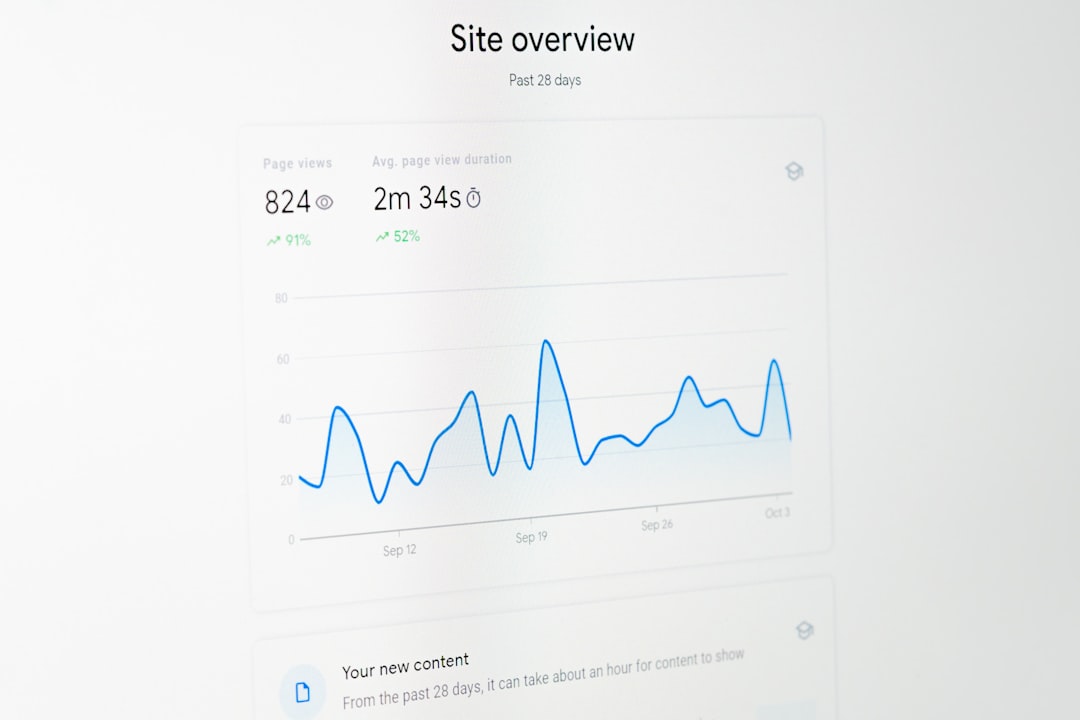
After migration, watch performance closely. Some ranking movement is normal. Search engines need time to process changes. But big drops may mean something broke.
Check daily at first. Then weekly. Look at:
- Organic traffic
- Keyword rankings
- Indexed pages
- 404 errors
- Redirect issues
- Crawl errors
- Conversions
- Page speed
Compare the new site to your pre-migration benchmarks. This is why you collected data before the move. Past you was smart. Thank past you.
Common SEO Migration Mistakes
Many migration problems come from simple mistakes. Avoid these classic banana peels:
- No redirect map: Old URLs vanish, and rankings suffer.
- Redirecting everything to the homepage: This weakens relevance.
- Blocking crawlers: A leftover staging rule can hide your site.
- Deleting strong content: Rankings may drop with it.
- Forgetting internal links: Old links create messy redirect chains.
- Skipping mobile checks: Mobile experience matters a lot.
- No post-launch monitoring: Problems grow when nobody looks.
The biggest mistake is treating SEO as an afterthought. SEO should be in the room early. Not invited at the end with a mop.
A Simple SEO Migration Checklist
Here is your quick, friendly checklist:
- Crawl the old website.
- Save performance benchmarks.
- Identify top pages and backlinks.
- Create a detailed redirect map.
- Protect important content.
- Test technical SEO on staging.
- Update internal links.
- Prepare the XML sitemap.
- Launch during a calm period.
- Submit the sitemap.
- Monitor rankings, traffic, and errors.
- Fix issues quickly.
Final Thoughts
A website migration does not have to be scary. It just needs structure. Think of it like moving house with labels on every box. The couch goes to the living room. The plates go to the kitchen. The rankings go to the new URLs.
Plan first. Redirect carefully. Test everything. Watch the data after launch. Do that, and your website can change its outfit without losing its place in search.
SEO migration is not magic. It is patience, checklists, and a little detective work. Also, maybe snacks. Snacks help every migration.