Building a website no longer requires coding expertise, graphic design skills, or a large budget. Modern website builders have transformed the online landscape, allowing entrepreneurs, freelancers, small business owners, and hobbyists to create professional-looking sites with ease. Thanks to drag-and-drop editors, pre-designed templates, and built-in hosting, non-technical users can launch fully functional websites in a matter of hours instead of weeks.
TLDR: Website builders make it easy for non-tech users to create professional websites without coding. Platforms like Wix, Squarespace, Shopify, Weebly, and WordPress.com offer drag-and-drop tools, templates, and built-in hosting. The right builder depends on the user’s goals, whether it’s blogging, e-commerce, or business promotion. Simplicity, support, and scalability should be key deciding factors.
What Makes a Website Builder Ideal for Non-Tech Users?
Not all website builders are created equal. For non-technical users, simplicity and clarity matter most. The best platforms share several core qualities:
- Drag-and-drop functionality that removes the need for coding
- Pre-designed templates for quick setup
- Built-in hosting and security so users don’t manage servers
- Customer support and tutorials for troubleshooting
- Scalability to grow alongside the business
Below are some of the top website builders tailored specifically for those with little to no technical experience.
1. Wix – Maximum Creative Freedom
Wix is widely regarded as one of the most user-friendly website builders available today. Its intuitive drag-and-drop interface gives users complete control over layout and design without writing a single line of code.
Key Features:
- Over 800 customizable templates
- Artificial Design Intelligence (ADI) option for automatic site creation
- App marketplace for extended features
- Built-in SEO tools
Wix is ideal for small businesses, creatives, portfolios, and personal brands. Its visual editor allows users to click and move elements freely across the page.
While Wix offers creative flexibility, beginners should note that once a template is chosen, switching to a different one requires rebuilding the site. Nonetheless, its ease of use and versatility make it a top choice for non-tech users.
2. Squarespace – Sleek and Professional Design
Squarespace is known for its elegant, modern templates. It is particularly popular among photographers, designers, bloggers, and boutique businesses that prioritize aesthetics.
Key Features:
- Award-winning responsive templates
- Built-in blogging tools
- Integrated analytics
- Strong e-commerce functionality
Squarespace uses a structured editing system, which means users work within predefined layout blocks. While slightly less flexible than Wix, this structure helps maintain visual consistency—making it harder for beginners to “break” the design.
For those seeking a refined and polished look without much manual adjustment, Squarespace strikes an excellent balance between functionality and simplicity.
3. Shopify – Best for Online Stores
For non-technical users focused on selling products online, Shopify stands out as a powerful and accessible e-commerce solution.
Key Features:
- Easy product management system
- Secure payment integration
- Inventory tracking
- Mobile-optimized themes
Shopify simplifies the complexities of running an online store. From managing orders to calculating shipping rates and taxes, everything is streamlined within a user-friendly dashboard.

Although Shopify focuses primarily on e-commerce rather than content-heavy sites, it is unmatched for beginners launching their first online store. It removes technical barriers while providing enterprise-level capabilities.
4. Weebly – Straightforward and Budget-Friendly
Weebly offers one of the simplest website-building experiences. Acquired by Square, it integrates smoothly with payment systems and is particularly suitable for small retailers and local businesses.
Key Features:
- Easy drag-and-drop editor
- Affordable pricing plans
- Basic e-commerce tools
- Step-by-step setup guidance
Weebly may not provide as many advanced design features as Wix or Squarespace, but its simplicity makes it attractive for beginners who want minimal setup complexity.
For someone launching a café website, consultancy page, or local service platform, Weebly provides essential tools without overwhelming options.
5. WordPress.com – Simplified Blogging Platform
It is important to distinguish between WordPress.org and WordPress.com. The latter is designed for non-tech users who want manageable hosting and streamlined setup without dealing with servers or plugins manually.
Key Features:
- Strong blogging capabilities
- Built-in hosting
- Customizable themes
- Upgrade options for advanced functionality
WordPress.com is especially suitable for bloggers, writers, and content creators. While its interface may have a slight learning curve compared to Wix or Weebly, it offers powerful content management features.
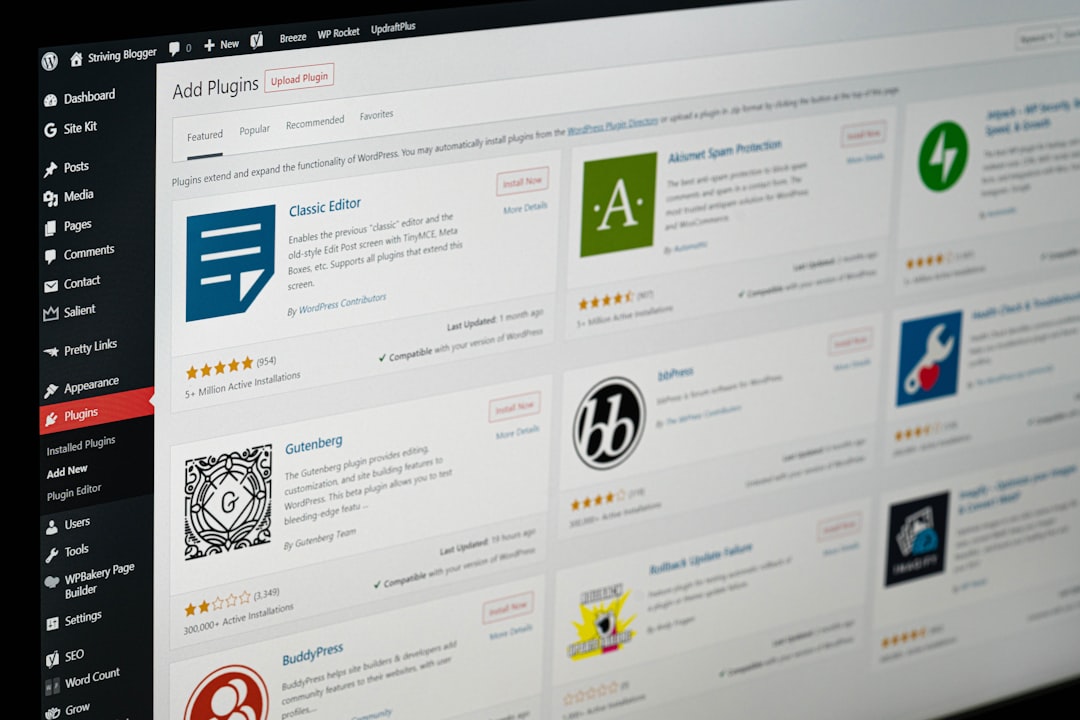
Users seeking long-term content growth and monetization options often find WordPress.com a flexible starting point.
How to Choose the Right Website Builder
Choosing the right platform depends largely on the user’s goals. Non-tech users should consider the following factors:
- Purpose of the website: Is it for blogging, business promotion, or selling products?
- Budget: Subscription plans vary significantly across platforms.
- Ease of use: Test free trials to evaluate comfort levels.
- Customization needs: Some builders prioritize structure; others prioritize flexibility.
- Growth potential: Consider long-term scalability.
For example, a freelance photographer may benefit from Squarespace’s visual appeal, while a handmade goods seller might prefer Shopify’s e-commerce tools. A personal blogger may lean toward WordPress.com, whereas a local consultant might appreciate Weebly’s straightforward interface.
Common Mistakes Non-Tech Users Should Avoid
When building a website, beginners often encounter preventable pitfalls:
- Overloading pages with too many elements
- Ignoring mobile responsiveness
- Neglecting basic SEO settings
- Choosing a plan without reviewing limitations
A simple, clean layout generally performs better than a cluttered one. Most website builders now provide automated mobile optimization, but reviewing the mobile preview before publishing remains essential.
The Future of No-Code Website Building
The rise of no-code and low-code platforms suggests that website creation will continue becoming more accessible. Artificial intelligence tools now assist with layout selection, color matching, content suggestions, and even automated SEO improvements.
For non-technical users, this evolution means fewer barriers and more creative opportunities. Businesses that once relied heavily on web developers can now take control of their digital presence without sacrificing professionalism.
Ultimately, the best website builder is the one that aligns with individual goals, budget, and comfort level. By leveraging free trials and exploring hands-on demos, users can confidently select a platform that empowers them to build and manage their website independently.
Frequently Asked Questions (FAQ)
-
1. Do I need coding knowledge to use a website builder?
No. Modern website builders are specifically designed for users with no coding experience. Drag-and-drop tools and visual editors make the process intuitive. -
2. Are free website builders good enough?
Free plans can work for personal projects or testing purposes. However, paid plans typically remove ads, allow custom domains, and unlock advanced features. -
3. Which website builder is best for small businesses?
Wix and Squarespace are strong all-around choices, while Shopify is best for product-based businesses focused on e-commerce. -
4. Can I switch website builders later?
Switching is possible but may require rebuilding the site. Content migration tools exist, but design elements often need manual recreation. -
5. How much does a website builder cost?
Most platforms range from $10 to $40 per month depending on features. E-commerce plans may cost more. -
6. Will my website be mobile-friendly?
Yes. Most modern website builders automatically optimize sites for mobile devices, though it is recommended to preview and test before publishing.
By understanding the strengths of each platform and assessing personal needs, non-technical users can confidently create high-quality websites that compete in today’s digital marketplace.