
Modern organizations depend on a growing ecosystem of applications, platforms, data services, monitoring tools, collaboration systems, and automation engines. When these tools operate in isolation, teams often face duplicated work, inconsistent reporting, security gaps, and delayed decision-making. Effective IT tool integration planning helps an organization connect systems in a controlled, scalable, and secure way so that technology investments work together rather than compete for attention.
TLDR: Successful IT tool integration planning begins with a clear understanding of business goals, existing systems, data flows, and user needs. The most effective plans prioritize governance, security, interoperability, testing, and long-term scalability. Organizations that document requirements, involve stakeholders early, and measure performance after implementation are more likely to achieve reliable, cost-effective integrations.
Understanding the Purpose of IT Tool Integration
IT tool integration is the practice of connecting software applications, infrastructure platforms, data repositories, and operational workflows so they can exchange information and support shared processes. The objective is not merely to link systems together, but to create a more efficient technology environment where data moves accurately, tasks are automated, and teams gain better visibility.
In many organizations, departments adopt tools independently to solve immediate needs. Over time, this creates a fragmented environment where service desk software, project management platforms, identity systems, cloud services, finance tools, and security dashboards may not communicate effectively. A strong integration plan reduces fragmentation and ensures that technology supports broader organizational priorities.
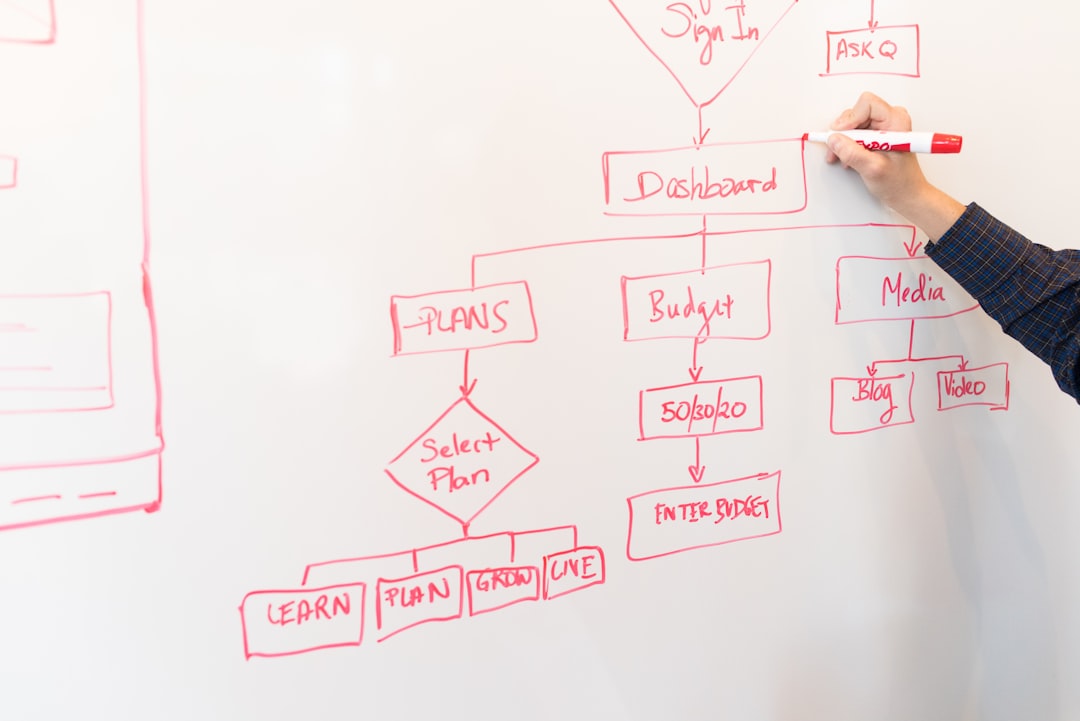
Start With Business Goals, Not Tools
One of the most important best practices is to begin with business objectives rather than technical preferences. An organization should identify what problem the integration is meant to solve. For example, the goal may be to reduce manual ticket updates, improve incident response, centralize customer data, automate compliance reporting, or accelerate employee onboarding.
When planning starts with the tool itself, teams may implement connections that are technically impressive but strategically weak. By contrast, business-driven integration planning ensures that every connection has a measurable purpose. Decision-makers should define expected outcomes, such as faster processing times, fewer errors, improved reporting accuracy, or reduced operational costs.
Map the Current IT Environment
Before integration work begins, the organization should create a detailed inventory of its existing technology landscape. This inventory should include applications, databases, APIs, infrastructure components, authentication systems, data owners, vendors, license terms, and known limitations.
A clear systems map helps planners understand dependencies and risks. It also reveals redundant tools, outdated platforms, and undocumented workflows. Without this visibility, integration projects can easily overlook critical systems or create unexpected failures in downstream processes.
A useful environment map should document:
- Core applications used by business and technical teams
- Data sources and data destinations
- APIs, connectors, and middleware currently in use
- Authentication and access controls across systems
- Manual processes that could be automated
- System owners responsible for approvals and maintenance
Engage Stakeholders Early
Integration planning is not solely an IT responsibility. Business leaders, security teams, compliance officers, data owners, finance representatives, and end users often have important requirements that influence design decisions. Early stakeholder involvement helps prevent misalignment and reduces the risk of rework.
For example, a service management integration may seem simple from a technical perspective, but support managers may require specific ticket routing rules, compliance teams may need audit trails, and finance teams may need usage data for cost allocation. When these needs are discovered late, timelines can expand and budgets can suffer.
Stakeholder workshops, interviews, and process reviews are effective ways to gather input. The planning team should document requirements in plain language and confirm priorities before technical design begins.
Define Data Ownership and Governance
Data is often the most complicated part of integration planning. Different tools may store similar information in different formats, with different naming conventions and quality standards. Without governance, integrated systems can spread inaccurate or conflicting data across the organization.
Best practice requires clearly defined data ownership. Each key data set should have an accountable owner responsible for accuracy, access rules, retention requirements, and change approval. The organization should also define which system is the authoritative source for each type of information.
For instance, an identity management platform may be the authoritative source for employee status, while a customer relationship platform may be the authoritative source for account details. Establishing this hierarchy prevents confusion and keeps integrated workflows reliable.
Prioritize Security From the Beginning
Security should be embedded into the integration plan from the first design discussion. Every connection between tools creates a potential pathway for unauthorized access, data leakage, or privilege escalation. A secure integration strategy considers authentication, authorization, encryption, logging, vulnerability management, and incident response.
Organizations should apply the principle of least privilege, allowing integrations to access only the data and functions necessary for their intended purpose. API keys, tokens, service accounts, and credentials should be managed securely, rotated regularly, and monitored for misuse.
Security teams should review integration designs before implementation. They should also verify that sensitive information is encrypted during transmission and storage. For regulated industries, compliance requirements such as audit logging, data residency, retention rules, and privacy obligations should be included in the plan.

Evaluate Integration Methods Carefully
Not all integration methods are equal. The right approach depends on performance needs, system capabilities, budget, data complexity, and long-term maintainability. Common methods include native connectors, APIs, middleware platforms, integration platform as a service solutions, webhooks, event-driven architecture, scheduled file transfers, and custom scripts.
Native connectors can be fast to deploy, but they may offer limited customization. APIs provide flexibility but require strong documentation and developer expertise. Middleware can simplify complex environments by centralizing integrations, though it may introduce additional cost and governance needs. Custom scripts may solve narrow problems quickly, but they can become fragile if not properly documented and maintained.
A mature organization evaluates integration methods based on both immediate fit and future sustainability. The cheapest solution is not always the best option if it increases technical debt or creates hidden support burdens.
Design for Scalability and Change
IT environments rarely remain static. New applications are adopted, vendors change, workloads grow, regulations evolve, and business models shift. Integration planning should therefore account for scalability and adaptability.
Scalable design includes flexible data models, reusable connectors, clear interface standards, and modular architecture. Instead of building one-off connections for every tool, organizations should consider patterns that can be repeated across departments and systems. This approach reduces complexity and makes future integrations easier to manage.
Change management is equally important. The plan should define how integrations will be updated when APIs change, software versions are upgraded, business rules evolve, or data structures are modified. Without a change process, even successful integrations can become unreliable over time.
Create Clear Documentation
Documentation is one of the most overlooked integration best practices. When integration knowledge is kept only in the minds of developers or administrators, the organization becomes vulnerable to staff turnover, vendor changes, and operational disruptions.
Effective documentation should include architecture diagrams, data flow descriptions, field mapping details, authentication methods, error handling rules, monitoring procedures, ownership assignments, and recovery steps. It should also explain the business purpose behind each integration so future teams understand why it exists.
Documentation should be updated whenever integrations change. Outdated documentation can be almost as damaging as no documentation at all because it may lead teams to make decisions based on inaccurate assumptions.
Build a Testing Strategy
Testing should be planned before deployment, not treated as a final checkpoint. A strong testing strategy validates functionality, data accuracy, performance, security, and failure recovery. Integration testing should confirm that systems exchange information correctly under normal conditions and respond safely under abnormal conditions.
Common testing activities include:
- Unit testing for individual connection components
- End to end testing across complete business workflows
- Data validation to confirm accuracy and consistency
- Load testing to measure performance under expected demand
- Security testing to identify access or exposure risks
- Failure testing to verify alerts, retries, and recovery behavior
Testing should involve both technical teams and business users. Business users can identify workflow issues that may not appear in technical logs, while IT teams can detect performance and reliability concerns.
Plan for Monitoring and Support
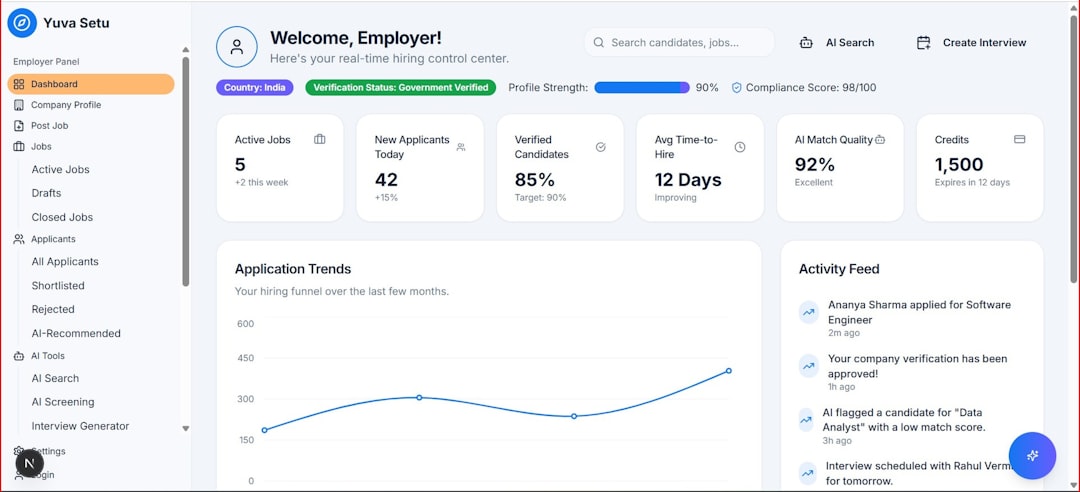
An integration is not complete once it goes live. Ongoing monitoring is necessary to detect failures, latency, data mismatches, authentication issues, and unusual usage patterns. The organization should define alerts, dashboards, escalation paths, and support responsibilities before deployment.
Monitoring should track metrics such as transaction volume, error rates, response times, synchronization delays, and failed authentication attempts. These metrics help IT teams identify problems quickly and demonstrate the value of the integration over time.
Support processes should also be clear. When an integration fails, teams should know who owns the issue, which vendor may need to be contacted, what logs should be reviewed, and how business operations should continue during an outage.
Manage Vendors and Contracts
Many integrations depend on third-party tools and vendor capabilities. Planning should include a careful review of vendor documentation, API limits, service level agreements, support channels, data processing terms, and product roadmaps.
Vendor lock-in is another important consideration. If an organization builds critical workflows around proprietary connectors or closed data formats, future migration may become expensive. Integration planners should assess whether data can be exported, whether APIs are stable, and whether alternatives exist if a vendor changes pricing or functionality.
Use Phased Implementation
Large integration projects are often more successful when delivered in phases. A phased approach allows the organization to validate assumptions, gather feedback, reduce risk, and make improvements before expanding. The first phase may focus on a high-value workflow with manageable complexity, followed by broader rollout once the design proves reliable.
This approach also helps users adapt gradually. Sudden changes across multiple systems can create confusion and resistance. Phased implementation supports training, communication, and continuous improvement.
Measure Success After Deployment
Integration planning should include success metrics from the beginning. After deployment, the organization should compare actual outcomes with expected benefits. Useful metrics may include reduced manual effort, faster resolution times, improved data accuracy, lower support costs, increased automation rates, and higher user satisfaction.
Measurement helps justify investment and identify areas for refinement. It also ensures that integrations remain aligned with business priorities rather than becoming invisible technical infrastructure with unclear value.
Common Mistakes to Avoid
Several mistakes can undermine integration efforts. These include skipping discovery, ignoring security reviews, building undocumented custom connections, failing to involve business users, underestimating data quality issues, and neglecting post-launch support. Another frequent problem is attempting to integrate too many systems at once without a clear priority order.
Successful organizations treat integration as a structured capability rather than a series of isolated technical tasks. They establish standards, governance, and repeatable processes that improve with each project.
FAQ
What is IT tool integration planning?
IT tool integration planning is the process of defining how software applications, platforms, data sources, and workflows will connect and operate together. It includes requirements gathering, architecture design, security review, testing, deployment, and ongoing support.
Why is integration planning important?
It is important because poorly planned integrations can create data errors, security risks, downtime, duplicated work, and high maintenance costs. Proper planning helps systems support business goals efficiently and securely.
Who should be involved in an integration project?
Typical participants include IT leaders, system administrators, developers, cybersecurity teams, compliance staff, business process owners, data owners, vendors, and end users who rely on the connected tools.
What is the biggest risk in IT tool integration?
One of the biggest risks is poor data governance. If systems exchange inaccurate, duplicated, or poorly controlled data, the integration can spread errors quickly across the organization.
How can an organization make integrations easier to maintain?
Organizations can improve maintainability by using standard integration patterns, documenting architecture and data flows, monitoring performance, assigning ownership, applying change management, and avoiding unnecessary custom code.
How should success be measured?
Success should be measured against business and technical goals, such as time saved, error reduction, improved data accuracy, faster workflows, lower costs, fewer outages, and better user satisfaction.