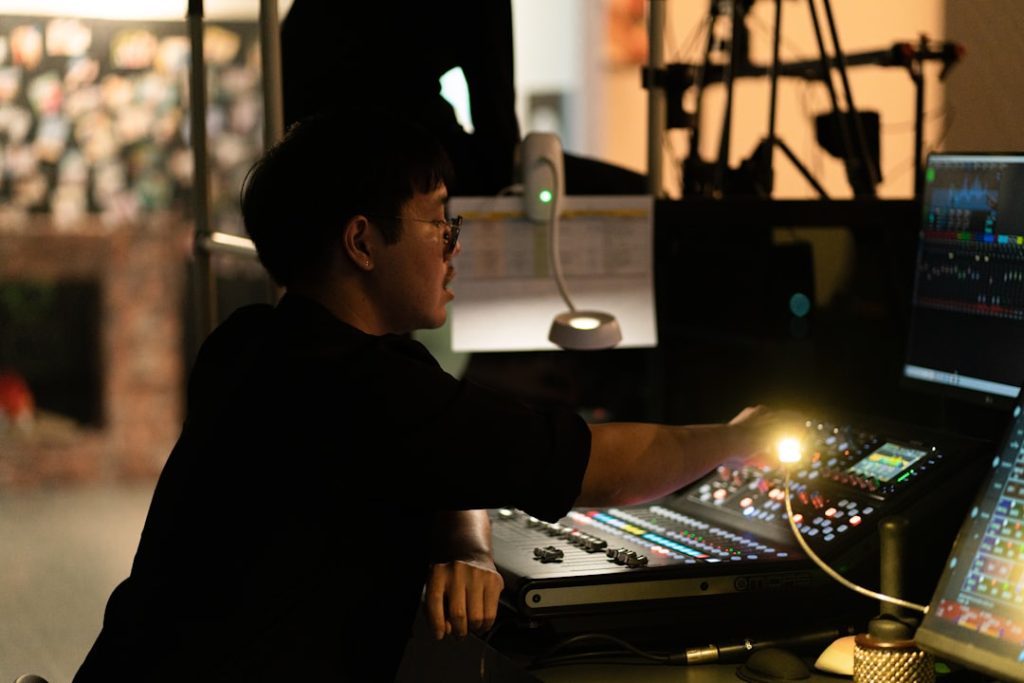
For production teams that manage conferences, broadcasts, corporate meetings, livestreams, and hybrid events, a reliable run-of-show platform can make the difference between a smooth program and a chaotic one. Shoflo is one of the better-known tools in this category, offering collaborative rundown management, scripting, cue tracking, and real-time updates for distributed production teams.
TLDR: Shoflo is best suited for professional event teams that need a centralized, live-updating run-of-show instead of static spreadsheets. For example, a producer managing a 3-hour corporate keynote with 40 cues, 12 speakers, and 6 AV operators can update timing once and have the entire crew see the change immediately. Its biggest strengths are real-time collaboration, structured cue management, and production-focused workflows. Pricing is generally quote-based, so smaller teams may want to compare alternatives before committing.
What Is Shoflo?
Shoflo is a cloud-based event production platform designed to help teams build, edit, and execute a live event rundown. Instead of relying on disconnected documents, email updates, or spreadsheet versions, teams can work from a shared run-of-show that updates in real time.
The platform is commonly used by event producers, show callers, technical directors, stage managers, AV teams, corporate communications teams, and livestream crews. It is especially useful in environments where cues, scripts, speaker timing, and technical notes must stay synchronized across multiple stakeholders.
Key Shoflo Features
1. Real-Time Run-of-Show Collaboration
Shoflo’s main feature is its collaborative rundown builder. Team members can edit cues, timings, segments, speaker notes, and production details in one place. When a change is made, the update is reflected for everyone with access, which reduces confusion caused by outdated documents.
This is particularly valuable during rehearsals, where show order and cue timing often change quickly. A producer can adjust a speaker’s segment from 15 minutes to 10 minutes, while the technical team immediately sees the revised timeline.
2. Cue Sheets and Production Notes
Shoflo allows teams to structure detailed cue sheets for audio, video, lighting, slides, cameras, and stage direction. This helps each department focus on the information that matters to its role while still working from the same overall show plan.
- Audio cues: microphone handoffs, walk-on music, playback tracks
- Video cues: lower thirds, intro videos, transition graphics
- Lighting cues: scene changes, spotlights, blackout moments
- Stage notes: entrances, exits, props, presenter positioning
3. Script and Speaker Management
For live events with presenters, hosts, or executives, Shoflo can support script management alongside the rundown. This helps keep spoken content tied to specific timing and production cues. Production teams can review what is being said, when it is being said, and what technical actions happen at the same moment.
For corporate events, this is useful when legal, communications, and executive teams need visibility into the final script while the production crew needs timing and cue details.
4. Permissions and Role-Based Access
Shoflo supports controlled access, allowing administrators to manage who can view or edit specific information. This is important for larger productions where not every crew member should be able to alter the master rundown.
For example, a camera operator may only need read-only access to camera cues, while the executive producer and show caller need edit permissions across the full document.
5. Remote and Hybrid Event Support
Because Shoflo is cloud-based, it works well for distributed teams. A remote producer, onsite AV crew, virtual streaming engineer, and client stakeholder can all access the same source of truth. This makes the platform especially relevant for hybrid events, webinars, corporate broadcasts, and multi-location productions.
Shoflo Pricing
Shoflo’s pricing is typically not listed as a simple public monthly plan. Instead, it is commonly handled through custom quotes based on organization size, event volume, required features, and support needs. This makes sense for enterprise event teams, but it can make budgeting harder for small agencies or one-off event producers.
Potential buyers should expect pricing discussions to consider factors such as:
- Number of users or seats
- Number of events per year
- Required collaboration features
- Support and onboarding needs
- Enterprise security or account management requirements
For teams that produce frequent events, the cost may be justified by reduced errors, faster updates, and smoother rehearsals. For occasional users, a simpler spreadsheet, project management template, or lower-cost rundown tool may be enough.
Shoflo Pros and Cons
Pros
- Built specifically for live production: The interface and workflow are designed around rundowns, cues, scripts, and show execution.
- Real-time updates: Teams can avoid version-control problems that often happen with spreadsheets.
- Good for complex events: Shoflo is well suited for conferences, corporate shows, broadcasts, and hybrid productions.
- Centralized communication: Production notes, timing, and cue details live in one shared environment.
Cons
- Pricing transparency is limited: Teams may need to request a quote before understanding total cost.
- May be more than small teams need: A basic webinar or simple panel discussion may not require a full production platform.
- Learning curve: Teams used to spreadsheets may need time to adopt a structured rundown workflow.
Best Use Cases for Shoflo
Shoflo is strongest when an event has multiple departments, frequent changes, and no room for miscommunication. It is a practical fit for:
- Corporate keynotes and town halls
- Annual conferences and summits
- Live broadcasts and streamed productions
- Award shows and staged programs
- Hybrid events with remote production staff
In smaller events, such as a single-room workshop or a short virtual meeting, Shoflo may feel more powerful than necessary. However, for productions with many moving parts, its structure can save significant coordination time.
Live Event Run-of-Show Alternatives
1. Google Sheets or Microsoft Excel
Spreadsheets remain the most common alternative because they are familiar, flexible, and inexpensive. They work well for simple events, but they can become risky when multiple people edit different versions or when cue changes happen during rehearsal.
Best for: small events, early planning, budget-conscious teams.
2. Airtable
Airtable offers a database-style approach to event planning. Teams can create views for speakers, sessions, cues, assets, and schedules. It is more flexible than a spreadsheet but requires setup to behave like a production rundown.
Best for: teams that want custom workflows and planning databases.
3. Notion
Notion can be used to build lightweight run-of-show documents, event wikis, and team checklists. It is not built specifically for live show calling, but it works well for pre-production organization and content planning.
Best for: internal teams, planning documents, simple event coordination.
4. Rundown Creator
Rundown Creator is a production-focused tool often used for broadcasts, live shows, and studio environments. It provides a more specialized alternative to spreadsheets and may appeal to teams that need structured rundown functionality without a broader event platform.
Best for: broadcast-style rundowns and production teams seeking focused cue management.
5. Planning Pod
Planning Pod is broader event management software that includes tools for timelines, floor plans, budgets, forms, and event logistics. It is less focused on live show calling than Shoflo, but it may be useful for planners who need all-around event operations tools.
Best for: event planners managing logistics beyond the stage program.

Final Verdict
Shoflo is a strong choice for teams that need a professional, collaborative, and production-ready run-of-show platform. Its real-time rundown updates, cue management, script support, and role-based collaboration make it especially useful for complex live, virtual, and hybrid events.
Its main drawback is pricing transparency. Since many teams must request a quote, Shoflo may be less appealing to freelancers, small agencies, or organizations producing only a few simple events per year. Still, for teams where one missed cue can affect the entire show, Shoflo offers a purpose-built workflow that can be far more reliable than a spreadsheet.
FAQ
Is Shoflo only for large events?
No. Shoflo can be used for smaller productions, but it is most valuable for complex events with multiple cues, speakers, departments, or remote collaborators.
Does Shoflo publish pricing?
Shoflo pricing is generally quote-based. Interested teams typically need to contact the company for a custom estimate based on their needs.
Can Shoflo replace spreadsheets?
Yes. Shoflo is designed to replace static run-of-show spreadsheets with a live, collaborative production rundown.
Who benefits most from Shoflo?
Event producers, technical directors, show callers, stage managers, AV teams, and corporate event departments are the most likely to benefit.
What is the best Shoflo alternative for small teams?
For small teams, Google Sheets, Airtable, or Notion may be sufficient. Teams that need a more production-focused tool may also consider Rundown Creator.