Capturing web pages programmatically has become a critical capability for modern businesses that rely on automation, monitoring, archiving, and visual documentation. Whether for compliance, competitive analysis, debugging, or automated reporting, website screenshot APIs like ScreenshotAPI provide a reliable method to generate rendered images of web pages at scale. These services eliminate the need to manage complex browser infrastructure internally and offer consistent, high-quality results across devices and environments.
TLDR: Website screenshot APIs enable businesses to capture fully rendered web pages automatically and at scale. They are used for monitoring, compliance, archiving, visual testing, and reporting. Compared to building in-house browser automation systems, APIs like ScreenshotAPI provide reliability, scalability, and cost efficiency. Choosing the right provider depends on performance, customization options, rendering accuracy, and integration capabilities.
In an era where visual presentation and digital presence matter more than ever, static HTML source code is no longer sufficient. Modern websites rely heavily on JavaScript rendering, dynamic content, and asynchronous loading. Traditional scraping tools often fail to capture the final, user-visible state of a page. Website screenshot APIs solve this problem by rendering pages in real browser environments and returning high-resolution images in various formats.
What Is a Website Screenshot API?
A website screenshot API is a cloud-based service that loads a web page in a real browser, renders it completely (including JavaScript, CSS, and dynamic elements), and returns an image file such as PNG or JPEG. Instead of configuring headless browsers or maintaining infrastructure, developers send a simple API request with parameters such as URL, device type, viewport size, authentication headers, or delay timing.
This approach removes the burden of:
- Managing browser fleets
- Updating headless browser dependencies
- Handling IP rotation or blocking issues
- Scaling infrastructure under load
- Maintaining uptime and rendering consistency
By centralizing these technical complexities, screenshot APIs allow engineering teams to focus on their core product.
Key Use Cases for Website Screenshot APIs
Organizations across industries leverage screenshot APIs for diverse operational needs. Below are the most common and high-value applications.
1. Website Monitoring and Change Detection
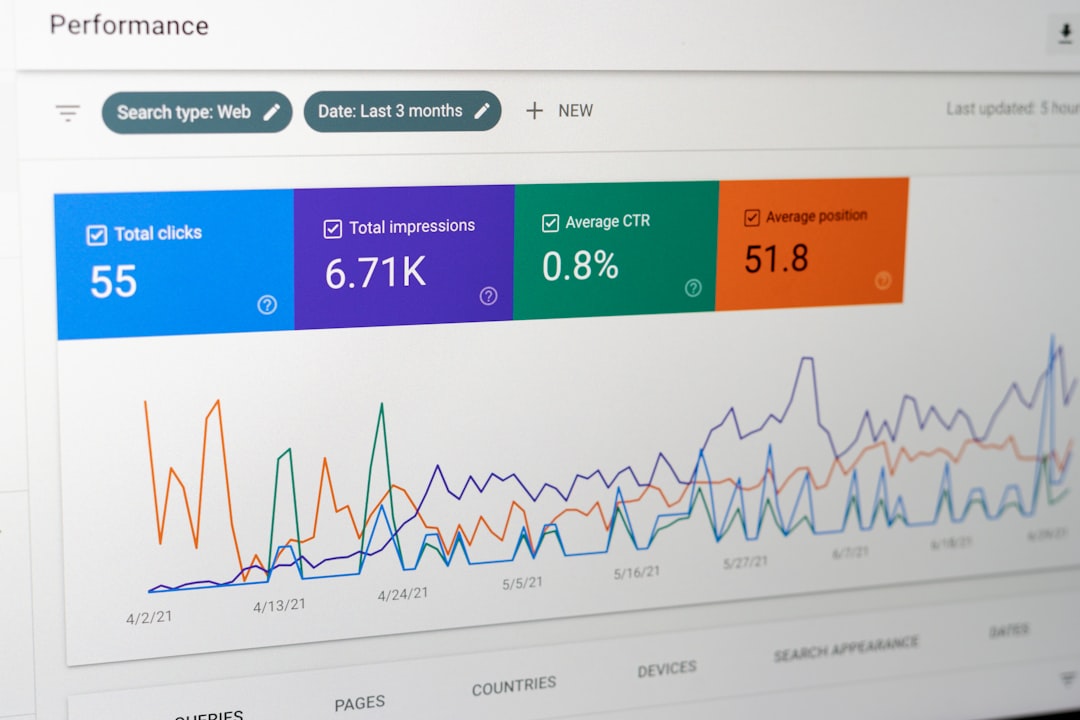
Businesses frequently monitor public web pages for content updates, design changes, pricing adjustments, or compliance violations. Visual monitoring is often more effective than HTML comparisons because it reflects how users experience the page.
Typical use cases include:
- Monitoring competitor pricing pages
- Tracking brand guideline compliance
- Ensuring advertising placements are correct
- Detecting unauthorized content changes
2. Compliance and Legal Archiving
Regulated industries such as finance and healthcare often require timestamped visual records of web content. Screenshot APIs allow organizations to generate verifiable visual archives for audit purposes. Unlike HTML archives, images provide immediate, human-readable documentation of what was displayed at a specific time.
3. Automated Reporting and Dashboards
Marketing agencies and analytics teams incorporate screenshots into automated reports for clients. Instead of linking to live sites that may change, a visual snapshot ensures consistency in reporting. Screenshot APIs can integrate directly into reporting pipelines and business intelligence platforms.
4. Visual Testing and QA Automation
Software teams use screenshot APIs for regression testing. By capturing images across different devices and comparing them pixel-by-pixel, teams can detect visual inconsistencies introduced by code updates.
5. Content Aggregation and Previews
Platforms that display previews of third-party links—such as marketing dashboards or knowledge management tools—use screenshots to provide accurate visual representations of referenced pages.
How Screenshot APIs Work
At a technical level, most screenshot APIs use headless browser technology such as Chromium. However, unlike self-managed setups, API providers operate these browsers within distributed cloud infrastructures optimized for performance and stability.

The typical workflow includes:
- Client sends API request with URL and configuration parameters.
- API service launches a browser instance in a controlled cloud environment.
- Page loads fully, including scripts and dynamic elements.
- Custom wait conditions ensure content is stable before capture.
- Screenshot is generated and returned as an image or downloadable link.
Advanced APIs also offer features such as full-page capture, mobile emulation, dark mode rendering, proxy support, authentication handling, and geolocation configuration.
Benefits of Using ScreenshotAPI and Similar Services
While developers can build in-house rendering systems using tools like Puppeteer or Playwright, production-level reliability is difficult to maintain. Screenshot APIs provide several measurable advantages:
- Scalability: Automatically handle thousands of concurrent rendering requests.
- Reliability: Dedicated infrastructure reduces crash rates and timeouts.
- Speed: Optimized browser orchestration reduces rendering latency.
- Maintenance Reduction: No need to update browser engines manually.
- Global Coverage: Distributed IP addresses reduce blocking risks.
- Security: Sandboxed execution environments isolate browsing sessions.
For organizations that depend on predictable uptime, outsourcing rendering infrastructure often results in lower long-term costs and higher stability.
Comparison of Leading Website Screenshot APIs
Several providers offer screenshot APIs with overlapping capabilities. Below is a simplified comparison of notable services frequently used by developers and enterprises.
| Provider | Full Page Capture | Mobile Rendering | Authentication Support | Scalability | Customization Level |
|---|---|---|---|---|---|
| ScreenshotAPI | Yes | Yes | Yes | High | Extensive |
| ApiFlash | Yes | Yes | Limited | Moderate | Moderate |
| URLBox | Yes | Yes | Yes | High | Advanced |
| Abstract Screenshot API | Yes | Basic | Limited | Moderate | Standard |
When evaluating providers, decision-makers should consider:
- Rendering accuracy for JavaScript-heavy sites
- Response time under load
- Rate limits and concurrency allowances
- Security certifications and data handling policies
- Support quality and documentation clarity
Critical Features to Look For
Not all screenshot APIs are created equal. Below are key capabilities that distinguish robust enterprise-ready services from basic utilities.
Full-Page and Element Capture
Rather than limiting output to visible viewport dimensions, advanced APIs allow users to capture entire scrollable pages or specific DOM elements.
Custom Viewport and Device Emulation
Testing responsiveness requires precise control over screen dimensions and device profiles, including pixel density and user-agent strings.
Delayed Capture and Wait Conditions
Dynamic applications may require waiting for asynchronous content to load. Reliable APIs offer configurable delays or conditions such as waiting for a selector to appear.
Secure Authentication Handling
Capturing private dashboards or password-protected environments requires support for cookies, headers, or login sequences.
Geolocation and Proxy Options
Marketing teams often need screenshots from different geographic regions to verify localized content or advertisements.
Implementation Considerations
Adopting a screenshot API typically requires minimal development effort. Most providers supply:
- RESTful endpoints
- Clear authentication via API keys
- SDKs for major programming languages
- Detailed technical documentation
- Usage dashboards and analytics
However, organizations should carefully manage API usage limits and implement retry mechanisms for resilience. Caching previously generated images can significantly reduce operating costs and improve performance in high-volume environments.
Security and Data Privacy
Security should remain central when rendering third-party or internal web pages through external services. Reputable providers operate isolated browser environments and discard session data after execution. Enterprises should verify:
- Data retention policies
- Encryption standards
- Compliance certifications
- IP whitelisting capabilities
Sensitive content, particularly dashboards or internal applications, may require additional safeguards such as VPN access or restricted API access controls.
Cost vs. In-House Infrastructure
At first glance, building a screenshot infrastructure internally using open-source headless browsers may appear cost-effective. However, ongoing maintenance, scaling complexity, and reliability issues often introduce hidden operational expenses.
Consider the internal costs of:
- Server provisioning and scaling
- Browser update management
- Failure recovery systems
- Monitoring and logging infrastructure
- Security patch management
For most organizations, dedicated screenshot APIs offer more predictable pricing models aligned with usage volume. This transforms a potentially volatile infrastructure challenge into a controllable operational expense.
The Strategic Value of Programmatic Screenshots
Beyond simple image capture, screenshot APIs enable broader strategic capabilities. They facilitate digital transparency, automation at scale, and improved user experience testing. As web technologies grow more complex and dynamic, rendering accuracy becomes increasingly important for analysis and documentation.
Organizations that integrate visual data into workflows benefit from improved oversight and faster decision-making. Whether monitoring competitor sites, validating marketing placements, or documenting regulatory compliance, the ability to reliably capture rendered web pages is now an essential digital capability.
Conclusion: Website screenshot APIs like ScreenshotAPI represent a mature, dependable solution for programmatically capturing web pages. They eliminate infrastructure overhead, provide rendering accuracy, and support scalable automation across industries. For teams that require consistent, high-quality visual capture at scale, investing in a reliable screenshot API is not merely convenient—it is operationally strategic.