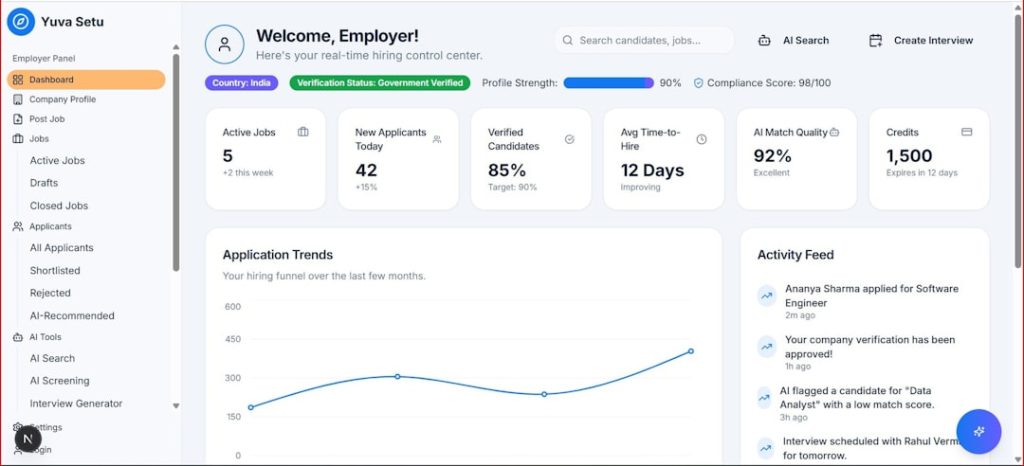
Managing required documents can quickly become messy when records are scattered across email, folders, school portals, and paper forms. MyRecordTracker is designed to simplify that process by giving users a centralized place to upload, monitor, and track records such as compliance documents, health forms, certifications, training proof, and other required files.
TLDR: MyRecordTracker is a document tracking portal often used by schools, healthcare programs, employers, and compliance-heavy organizations. For example, a student with 12 required documents might use the dashboard to see that 9 are approved, 2 are pending review, and 1 is missing. It is useful for staying organized, but it may feel limited if you want advanced file management, collaboration, or long-term personal record storage. Good alternatives include CastleBranch, Complio, Med+Proctor, MyChart, and cloud storage tools.
What Is MyRecordTracker?
MyRecordTracker is an online record management and compliance tracking system. In simple terms, it helps users submit required documents and allows administrators to review, approve, reject, or request updates. The platform is commonly associated with environments where deadlines and documentation matter, such as clinical placements, academic programs, healthcare onboarding, employee credentialing, or volunteer compliance.
Instead of wondering whether a document was received or approved, users can typically log in and view the status of each requirement. This makes the platform especially helpful for people who must maintain multiple time-sensitive records, such as immunizations, CPR cards, background checks, liability insurance, or training certificates.

Key Features of MyRecordTracker
While the exact features may vary depending on the organization using it, MyRecordTracker generally focuses on making record collection and verification more transparent. Here are the main features users are likely to find valuable:
- Centralized document uploads: Users can upload files in one place instead of emailing them to multiple departments.
- Status tracking: Records may show labels such as approved, pending, rejected, or expired.
- Requirement checklist: The dashboard usually displays what documents are required and which ones still need attention.
- Deadline visibility: Users can identify upcoming due dates and expiration dates before they become a problem.
- Administrative review tools: Organizations can review submissions, leave comments, and standardize compliance workflows.
- Secure access: Since personal records may be involved, accounts generally require individual login credentials.
The biggest advantage is clarity. A user does not have to guess whether a submitted file is acceptable; the portal provides a visible record of progress. For programs where missing one requirement can delay participation, that visibility is extremely valuable.
MyRecordTracker Login Guide
The login process is usually straightforward, but it may depend on the institution or organization that invited you to use the platform. If you are accessing MyRecordTracker for the first time, follow these general steps:
- Go to the official login page provided by your school, employer, or program coordinator.
- Enter your username or email address associated with your account.
- Type your password carefully, paying attention to capitalization and special characters.
- Complete any verification step if your organization requires additional security.
- Open your dashboard and review pending requirements, messages, or document requests.
If you cannot log in, first check whether you are using the correct portal link. Some organizations use customized login pages, so a general search result may not take you to the right place. If the password does not work, use the forgot password option if available. When that fails, contact your program administrator rather than creating a duplicate account, because duplicate profiles can cause approval delays.
Tip: Before uploading documents, rename files clearly. A file named CPR Certification Jane Smith 2026.pdf is easier to review than scan0047.pdf. Clear naming can reduce confusion, especially when several documents are similar.
User Experience and Ease of Use
MyRecordTracker is built more for function than flash. The interface is usually practical, with checklists, upload buttons, document statuses, and administrative notes. Users who simply need to submit documents and confirm approval will likely find it easy enough after the first login.
However, the experience may feel less polished than modern productivity apps. Some users may want better mobile optimization, faster upload confirmations, or more detailed notifications. The platform’s usefulness often depends on how well an organization configures and manages it. A well-run program can make MyRecordTracker feel efficient; a poorly maintained setup can leave users confused about what is missing or why a document was declined.
Pros and Cons
Like any specialized system, MyRecordTracker has strengths and limitations. Here is a balanced look:
Pros
- Simple compliance tracking: Users can quickly see what is complete and what is outstanding.
- Useful for deadline-driven programs: Expiring certifications and missing records are easier to identify.
- Reduces email clutter: Documents can be submitted through one centralized portal.
- Helpful administrative oversight: Reviewers can manage many users and records from a single system.
Cons
- Limited general storage features: It is not meant to replace a full cloud storage platform.
- Access may be organization-dependent: You may only use it if your school or employer provides access.
- Interface may feel basic: Users expecting advanced design or automation may find it plain.
- Support routes can vary: Some issues must be handled by your institution, not the platform itself.
Who Should Use MyRecordTracker?
MyRecordTracker is best for users who need to prove compliance with a structured list of requirements. This includes students entering clinical settings, employees submitting onboarding documents, healthcare workers maintaining credentials, or volunteers completing background and training requirements.
It is less ideal for someone who simply wants to organize personal files for long-term storage. If your goal is to keep tax forms, family health records, warranties, and IDs in one personal archive, a secure cloud storage solution may offer more flexibility.
Best MyRecordTracker Alternatives
If MyRecordTracker does not meet your needs, or if your organization allows another option, several alternatives may be worth considering:
- CastleBranch: Popular in healthcare education for background checks, drug testing, and compliance document management.
- Complio: A compliance platform used by many academic and healthcare programs to track immunizations, certifications, and screenings.
- Med+Proctor: Often used by colleges and universities to verify immunization records and health requirements.
- MyChart or patient portals: Better for accessing medical records, lab results, visit summaries, and provider communications.
- Google Drive, OneDrive, or Dropbox: Useful for personal document storage, although they do not provide built-in compliance approval workflows.
- Notion or Airtable: Good for custom tracking systems if you want more control over categories, deadlines, and reminders.
Final Verdict
MyRecordTracker is a practical tool for people who need to submit and monitor required records in a structured environment. Its main value is not flashy design; it is accountability, visibility, and compliance tracking. When used by an organized institution, it can save time and prevent missed deadlines.
That said, it is not the most flexible solution for personal document management or advanced collaboration. If you need a compliance portal, MyRecordTracker can be a solid choice. If you need a broader digital filing cabinet, consider pairing it with a secure cloud storage tool or using an alternative that better matches your workflow.